

Home Blog Page 2

Is DistroKid Worth It? A No-Nonsense Review for Independent Artists

You finished a track last weekend. The mix sounds good, the artwork is ready, and you want it on Spotify, Apple Music, and TikTok before your momentum fades. Then you hit the wall every independent artist hits: which distributor should you actually pay? Some charge per release, some take a cut of your royalties, some hide fees in the fine print, and a few have reputations that make you nervous about handing over your masters. If you have been stuck in that research loop for more than a few days, you are not alone, and that is exactly the moment where the question “is DistroKid worth it” starts to matter more than feature lists.

DistroKid has been one of the most talked-about names in independent music distribution for years. It pitches itself on unlimited uploads, fast delivery to streaming platforms, and letting artists keep 100% of their store earnings after standard banking fees and taxes. For a solo artist who plans to release more than one or two songs a year, that pricing model alone can shift the math. If you want to skim the current plans before reading further, you can check the official product page and come back to compare it against the buyer logic below.

Quick verdict up front: DistroKid is a strong, credible pick for prolific independent artists, bedroom producers, and small labels who release music regularly. It is not the right fit for every musician, and there are real caveats around optional add-ons, review times, and plan selection that deserve a sober look before you click sign up.

Disclosure: some links in this article are affiliate links, which means we may earn a small commission if you sign up through them at no extra cost to you. Our editorial take is independent.

What DistroKid Is and Why It Matters

DistroKid is a digital music distribution service. In plain English, it is the middleman that takes the audio file, artwork, and metadata you upload and pushes it into the catalogs of streaming and download stores so listeners can find your release on the platforms they already use.

Based on the official product details, DistroKid delivers to a long list of platforms, including Spotify, Apple Music, TikTok, YouTube Music, Amazon Music, Deezer, TIDAL, Pandora, iHeartRadio, Instagram and Facebook, Snapchat, Audiomack, Qobuz, Boomplay, Anghami, Claro Musica, Saavn, Joox, NetEase, Tencent’s music services, and many smaller outlets through MediaNet. For most independent artists, that coverage handles essentially every relevant listening destination in one upload.

Three things set the value proposition apart for working musicians:

– A subscription-based model with unlimited uploads instead of per-release fees.

  • The promise that artists keep 100% of earnings from stores after banking fees and applicable taxes.
  • Tools designed for the actual workflow of being independent: built-in royalty splits, instant Spotify for Artists access, HyperFollow landing pages, and a mobile app.

If you have been pricing out alternatives that charge per song or take a percentage cut, the subscription approach starts to look very different once you plan to release more than a handful of tracks.

Is DistroKid Legit? Addressing the Trust Question First

The “is DistroKid legit” question is fair, because plenty of distributors have come and gone. DistroKid has operated publicly for years, distributes to all of the major streaming platforms by name, and runs a documented help center with release timelines and policy explanations. It is not a fly-by-night service. That does not mean every artist will have a perfect experience, and there are real things to understand before you commit.

What you are paying for is access to the distribution pipeline plus a toolkit. What you are not getting is a record label, a marketing team, or a guarantee that your music will succeed. Understanding that gap is the difference between a satisfied DistroKid user and a frustrated one.

Who Should Buy DistroKid

These buyer profiles tend to get the most value from the subscription model:

The prolific independent artist. If you release singles every month or two, an EP a year, or you are an electronic producer pushing out remixes and edits, unlimited uploads at a flat annual price almost always beats per-release pricing.

  • The home-studio producer with multiple aliases. If you record under more than one name, the Musician Plus or Ultimate plans cover multiple artist profiles under a single account, which is usually cheaper than running parallel subscriptions elsewhere.
  • The small DIY label or artist collective. Ultimate’s higher artist limit and label-name customization make it usable for managing several projects without juggling separate logins.
  • The collaborator who needs clean payouts. Built-in royalty splits let you assign percentages so each collaborator gets paid directly by DistroKid. That removes the awkward “I’ll PayPal you your cut later” workflow that breaks down the moment a track starts earning real money.
  • The creator who needs music live on TikTok and Reels. If your release strategy depends on user-generated content, getting tracks into the TikTok, Instagram, and Facebook music libraries through one distributor matters.

Who Should Skip DistroKid

Honest disqualifiers, because the wrong tool for the wrong artist wastes money:

You only plan to release one song, ever. If this is a one-off vanity release and you never intend to put out music again, a one-time pay-per-release distributor may be cheaper over the long run, even if the up-front cost is higher.

  • You expect hands-on label services. DistroKid is distribution and tooling, not A&R, playlist pitching at scale, sync licensing teams, or publicity. If you need a team pushing your release, you need a different kind of partner.
  • You want every conceivable feature in the base plan. Several features that some artists assume are standard, such as custom release dates, custom ISRCs, and daily stats, sit on the Musician Plus or Ultimate tiers, not the cheapest plan.
  • You are uncomfortable with a subscription you must keep paying. If you stop paying, your existing releases can be affected depending on the plan terms in effect. Artists who want a true one-and-done upload often prefer a different model.

is DistroKid worth it

Key Reasons DistroKid Stands Out

Unlimited uploads on every plan. You can release as many songs and albums as you want without each release becoming a separate purchase decision. This changes how freely you experiment.

  • Keep 100% of store earnings. DistroKid markets that artists keep their full royalty payouts from stores after banking fees and taxes, which is meaningful for anyone scaling streams over time.
  • Built-in DistroKid royalty splits. You can split earnings with collaborators automatically by percentage so each person gets paid into their own DistroKid account. For producers, featured artists, co-writers, and beat sellers, this avoids messy manual accounting.
  • Instant Spotify for Artists access. Getting your artist profile claimed quickly matters when you are trying to control your image, pitch playlists, and access analytics.
  • Wide platform coverage in one upload. From Spotify and Apple Music to regional services like Anghami, Boomplay, and Saavn, you are not locked into only Western markets.
  • Creator tools beyond distribution. HyperFollow landing pages, Mini Videos, Promo Cards, Spotify Canvas Generator, Mixea for mastering, DistroVid for video distribution, and the mobile app together cover a meaningful chunk of an independent artist’s promotion stack.
  • Tiered plans for solo artists, multi-alias producers, and small labels. You pay closer to what you actually need rather than buying enterprise-level features as a solo artist.

Real-World Use Cases

The weekly beatmaker. A producer releasing instrumental beats or lo-fi tracks every week or two would burn through a per-release distributor’s pricing in a single quarter. With DistroKid’s subscription, the math gets simple, and royalty splits handle vocalists or co-producers cleanly when collaborations happen.

The touring singer-songwriter. You play shows, build an email list, and want a custom HyperFollow link in your bio that converts new listeners into pre-savers and followers. Getting that link plus distribution under one roof saves friction.

The two-person label. Two friends signing a handful of artists can run them all under an Ultimate plan, give each project its own label name through label customization, and assign royalty splits so artists get paid automatically.

The DJ releasing edits and originals. With custom release dates and Beatport as an optional add-on, a club-focused producer can hit dance music stores while still landing on the major streaming services for casual listeners.

The artist relaunching after a long break. If you have older recordings sitting on a hard drive, the unlimited model lets you upload back catalog without each track feeling like a separate financial decision.

The TikTok-first artist. Getting music into TikTok, Instagram, and Facebook libraries quickly matters when a snippet might go viral. Fast delivery to these libraries is part of why creators choose DistroKid in the first place.

Comparison With Alternatives

A fair comparison is not about declaring one distributor the king. It is about matching the tool to your release pattern.

Versus pay-per-release distributors. Some distributors charge a one-time fee per single or album and let you keep that release live for life without an ongoing subscription. If you release rarely, that math wins. If you release frequently, you will overpay quickly compared to DistroKid’s unlimited model. Choose pay-per-release if you genuinely put out one or two songs a year. Choose DistroKid if you release more.

Versus percentage-cut distributors. Other services charge little or nothing up front but take a percentage of your streaming royalties. That feels frictionless when you are earning nothing, and painful once a track actually takes off. If you expect any of your releases to gain real traction, paying a flat subscription and keeping your full store earnings tends to beat giving up a permanent cut. Choose a percentage-cut model only if you are extremely streams-light and you want zero up-front commitment.

Versus premium artist-services platforms. Some distributors bundle advanced label services, dedicated account management, and curated pitching for a much higher price. They make sense for established acts and signed artists with budgets. For most independent artists asking “is DistroKid worth it” in 2026, those premium platforms are overkill, and DistroKid hits the right balance of features for the price.

Versus DIY uploading to each platform. Some platforms allow direct artist uploads. The problem is fragmentation: managing metadata, royalty payouts, takedowns, and analytics across five or six dashboards becomes its own job. Unless you only care about one or two stores, a distributor like DistroKid removes that overhead.

is DistroKid worth it

Buying Considerations Before You Click

A few things deserve a clear-eyed look before you commit.

Plan fit. The plans publicly displayed at the time of writing include Musician at $2.08 per month billed as $24.99 annually for 1 artist, Musician Plus at $3.75 per month billed as $44.99 annually for 2 artists, and Ultimate at $7.50 per month billed as $89.99 annually for 5 or more artists. The cheapest plan covers basic distribution and royalty splits. If you need features like custom release dates, custom ISRCs, daily streaming stats, label-name customization, preorders, Playlister access, and RIAA Award Monitoring, you are looking at Musician Plus or Ultimate. Pricing and plan contents can change, so it is worth confirming current details before you subscribe. You can see the current offer to verify what is live today.

Optional add-ons. DistroKid promotes a range of optional Album Extras that can add to your cost, such as Discovery Pack, Store Maximizer, Social Media Pack, Beatport delivery, cover song licensing, Leave a Legacy, Dolby Atmos support, and Loudness Normalization. None of these are mandatory. Treat them as upgrades you opt into when they fit your release goals, not as features you have to buy to launch a song.

Release timing. Based on DistroKid’s own published rough estimates, Spotify can take roughly 2 to 5 days, Apple Music and iTunes 1 to 7 days, Amazon Music 1 to 2 days, YouTube Music 1 to 2 days, TikTok 1 to 2 days, and Facebook and Instagram up to 1 to 2 weeks. Some delays are outside DistroKid’s direct control because each store has its own review pipeline. Plan your release date accordingly and avoid uploading the night before you want to go live.

Subscription continuity. This is a subscription service. Read the current plan terms carefully so you understand what happens to your releases if you cancel or downgrade. Artists who plan to maintain their catalog indefinitely usually treat the annual fee as a fixed ongoing cost, similar to a domain renewal.

Region and payment. DistroKid supports artists in many countries, but tax forms, banking fees, and payout methods vary. Verify that the payout options work for your country and bank before committing.

Realistic expectations. Distribution gets your music on the platforms. It does not generate streams. Pair it with a real promotion plan, whether that is social content, live shows, playlist pitching, or paid ads.

Objections Answered

“Will I really keep all my royalties?” DistroKid markets that artists keep 100% of their store earnings after banking fees and applicable taxes. That means the platform itself is not skimming a percentage off your streaming income the way some competitors do. Standard banking fees and government taxes still apply, as they would with any payout system.

“What if my release has a problem?” DistroKid has documented review processes and a help center. If artwork, metadata, or audio violates a store’s policy, the release can be flagged or held. That is true of every distributor because the stores enforce those rules, not just DistroKid. Read the upload checklist before you submit so you minimize avoidable issues.

“Is DistroKid only for English-language artists in the US?” No. The platform delivers to regional streaming services across Asia, the Middle East, Africa, and Latin America. If your audience is on Anghami, Boomplay, Saavn, JOOX, or Tencent’s music services, those destinations are covered.

“Can I switch later if I find something better?” Yes. You are not legally locked in. Artists do move catalogs between distributors. It is administrative work, takedowns and re-uploads need to be sequenced carefully so you do not lose your stream history on platforms that preserve it, but it is doable. The fact that you can leave is itself a reason to feel safer trying it.

Final Verdict: Is DistroKid Worth It in 2026?

For the working independent artist, bedroom producer, beatmaker, multi-alias creator, or small DIY label that releases music more than a couple of times a year, DistroKid is one of the most defensible choices in distribution. The DistroKid review 2026 case rests on a clear value proposition: unlimited uploads, full store earnings after standard fees, fast delivery to the platforms that actually drive listening, a useful set of artist tools, and tiered plans that scale from solo musicians to small labels without forcing you into enterprise pricing.

It is not for every artist. If you release once every few years, want full-service label support, or refuse to maintain a subscription, look elsewhere. If you fall into that committed independent artist profile, the DistroKid pros and cons balance comes out clearly on the pros side, especially when you factor in royalty splits and the built-in promotion tools.

Before you sign up, decide which plan matches your real release plan, ignore the optional add-ons until you actually need them, and give yourself enough lead time before your target release date. When you are ready, you can view the latest plan details and start your first upload.

FAQ

Is DistroKid worth it if I only have one finished song right now?
If that single song is the start of an ongoing release habit, yes, the subscription pays for itself over a year of consistent uploads. If it is truly a one-off and you do not plan to release again, a pay-per-release distributor may suit you better.

Is DistroKid legit for serious career artists?
It is a widely used distributor with public delivery to all major streaming platforms and a documented help center. Many independent artists with substantial catalogs use it. Just understand it is a distribution and tools provider, not a record label.

Which DistroKid plan is best for independent artists?
Solo artists releasing simply can start on the base Musician plan. Artists who want custom release dates, preorders, custom ISRCs, daily stats, and label-name customization should look at Musician Plus. Multi-artist setups and small labels usually need Ultimate. Confirm current plan contents before subscribing.

How do DistroKid royalty splits actually work?
You assign percentages to collaborators by their DistroKid account email when you upload a release. DistroKid then routes each collaborator’s share of the store earnings directly to their own account, removing the need for one person to manually distribute payments.

What hidden costs should I watch for?
The plan price itself is the core cost. Optional Album Extras such as Discovery Pack, Store Maximizer, Social Media Pack, Beatport delivery, cover song licensing, Dolby Atmos, and Loudness Normalization can add up if you select them. They are opt-in, not required to release.

Can I release a cover song through DistroKid?
DistroKid offers a cover song licensing add-on for eligible territories. You should confirm current eligibility, supported regions, and pricing on the official page before planning a cover release, and never assume a mechanical license without verifying it.

DistroKid: Pros & Cons

Pros Cons
✅ Fast upload to stores (often 24-48 hours) ❌ Annual subscription required to keep music live
✅ Unlimited uploads for a flat yearly fee ❌ Add-ons like “Leave a Legacy” increase cost
✅ Automatic royalty splits for collaborators ❌ Customer support can be slow via email tickets
✅ Keep 100% of your earnings ❌ Basic tier lacks custom release dates

More Reviews on Tgtbuy

Check the current official offer

Use the official page to confirm the latest bundle, regional availability, shipping details, and any current promotion before you buy.

See the latest DistroKid details

DistroKid vs Other Music Distributors: The Real Decision for Independent Artists

Disclosure: This article may contain affiliate links. If you sign up through a link, Tgtbuy may earn a commission at no extra cost to you.

Choosing a music distributor is not really about picking the company with the loudest landing page. It is about choosing the business model you want sitting underneath your catalog for years. Every distributor has a shape. Some are built around per-release thinking. Some are built around percentage splits. Some are built for artists who release rarely and want a mostly hands-off catalog home. DistroKid is built around a different promise: pay an annual membership, upload unlimited music, keep 100% of store earnings after applicable banking fees and taxes, and get your work into a long list of streaming services and online stores.

That model is why the DistroKid vs TuneCore question, or the broader DistroKid vs other music distributors question, cannot be answered honestly with a single winner for every artist. The right choice depends on how often you release, how many artist names you manage, how much control you need over release dates and metadata, whether you collaborate, whether optional extras matter, and whether you prefer predictable subscription pricing over thinking about every release as a separate purchase decision.

DistroKid Ultimate plan illustration

The Core Difference: Subscription Logic Versus Release Logic

DistroKid makes the most sense when you stop asking, “How much does this one single cost to distribute?” and start asking, “How much does it cost to keep releasing music all year?” Its public pricing page currently shows the Musician plan at $24.99 billed annually for one artist, Musician Plus at $44.99 billed annually for two artists, and Ultimate starting at $89.99 billed annually for 5+ artists. Because uploads are unlimited within the membership, the cost per release drops as you release more music.

That is the heart of the comparison. If you are a prolific artist, producer, instrumental creator, beat maker, remix-focused act, or small label, the annual model can feel freeing. You can plan a monthly single, release alternate versions, test a side project, and keep building your catalog without treating each upload as a new budget meeting. If you release once every two years, the math is less obvious. A low-output artist should compare the annual cost, the renewal commitment, and any optional extras against how much distribution activity they truly need.

This is where many comparison articles get sloppy. They try to declare one distributor “best” without asking how the artist works. DistroKid is not automatically the best choice for the artist who wants to release one song and never think about music distribution again. It becomes much more attractive when you have a release rhythm.

Where DistroKid Is Strong

The strongest argument for DistroKid is speed plus volume. The service is designed to get music into stores such as Spotify, Apple Music, TikTok, YouTube Music, Amazon, Deezer, TIDAL, Instagram and Facebook, Pandora, iHeartRadio, and many other platforms. DistroKid says it reaches 150+ platforms, which is enough coverage for most independent artists who want mainstream streaming availability without manually dealing with every store relationship.

The second strong argument is simplicity. A distributor should not become the most complicated part of releasing music. DistroKid’s appeal is that it turns distribution into a repeatable workflow: prepare the song, upload the release, set the metadata, choose the relevant options, and send it to stores. That repeatability matters if you are trying to build momentum. The less mental friction around distribution, the easier it is to plan the next release instead of recovering from the last one.

The third argument is ownership of earnings. DistroKid’s messaging around keeping 100% of earnings is important for artists who do not want their distributor taking a percentage of every stream forever. You still need to understand taxes, banking fees, store reporting delays, and the difference between distribution and publishing, but the basic model is clean: the membership is the main access cost, and store earnings are not reduced by a distributor commission in the way some artists fear.

Where Alternatives Can Still Make Sense

There are artists who should compare alternatives carefully. If you release very rarely, a distributor with a different pricing model may fit your psychology better. If you want bundled services that go beyond distribution, you may value a platform that emphasizes marketing support, physical distribution, sync opportunities, publishing administration, or different catalog terms. If you are managing an older catalog, you may care about takedown policies, long-term renewal obligations, or how a distributor handles releases if you stop paying.

The key is to compare policies, not slogans. Look at what happens to your catalog if you cancel. Look at whether there are annual renewal costs. Look at how each distributor handles cover songs, YouTube Content ID, store additions, payment thresholds, tax forms, splits, and artist support. DistroKid is attractive because its main workflow is efficient, but no distributor should be chosen without understanding the fine print.

Release Speed: Useful, But Not A Substitute For Planning

DistroKid’s Help Center gives rough review and store timing estimates, such as Spotify often taking a few days, Apple Music sometimes taking longer, Amazon and YouTube Music often moving faster, TikTok often moving quickly, and Facebook or Instagram potentially taking one to two weeks. These are not guarantees. Every distributor ultimately depends on stores accepting and processing the release. The practical takeaway is simple: speed is helpful, but you should still upload with a buffer.

Compared with alternatives, do not obsess over a one-day difference in theoretical delivery time unless you are constantly releasing time-sensitive music. A better question is whether the distributor makes it easy to plan a controlled release date, correct mistakes, manage artist profiles, and avoid metadata problems. DistroKid’s Musician Plus and Ultimate plans become more relevant if you care about customizable release dates, preorder settings, custom label names, custom ISRC codes, and daily streaming stats.

Plan Fit: Solo Artist, Duo, Producer, Or Label?

The Musician plan is the simplest starting point for a solo artist who wants distribution without overbuilding the setup. It is inexpensive on an annual basis, but it is not the plan I would automatically choose for a serious release calendar. Musician Plus is often the more practical tier for artists who care about presentation and scheduling. It supports two artists and adds controls that matter once you treat releases as campaigns rather than files.

Ultimate is a different conversation. It is for people who manage multiple artist names, small labels, or broader catalogs. If you are releasing under several aliases, coordinating multiple acts, or building a label-like operation, comparing Ultimate against other distributor label plans is the right move. The question is not whether the first-year price is higher than a single-artist plan. The question is whether it reduces the operational drag of managing several artists.

DistroKid Spotify and Apple Music artist access icon

Collaborations And Splits Matter More Than People Admit

Royalty splits are one of those features that feel secondary until you need them. DistroKid includes splits, allowing earnings from songs or albums to be divided among collaborators who use DistroKid. For producers, bands, vocal collaborators, managers, and co-writers, that can reduce administrative mess. It does not replace clear agreements, but it gives the release workflow a place to reflect those agreements.

When comparing distributors, ask how splits work, who needs an account, how collaborators are paid, what happens if someone does not accept an invitation, and whether the feature creates extra fees. Collaboration is not an edge case anymore. Many independent songs involve multiple people. A distributor that makes splits manageable can save awkward accounting later.

Optional Extras: Helpful Tools Or Cost Creep?

DistroKid’s optional Album Extras are where a simple annual plan can become a more nuanced bill. Examples include Discovery Pack, Store Maximizer, Social Media Pack, Beatport, cover song licensing, Leave a Legacy, Dolby Atmos, and Loudness Normalization. Some extras may be genuinely useful depending on the release. Others may not matter to you. The mistake is treating extras as proof that the base plan is misleading. The opposite mistake is blindly adding everything because it appears during checkout.

Compare extras against your actual release strategy. A cover song has a different legal need than an original instrumental. A dance track aimed at Beatport has a different store priority than an acoustic single. A long-term catalog asset has a different permanence question than a test release. DistroKid gives you options, but options are only valuable if you understand why you are selecting them.

Platform Reach Is Broad, But Promotion Is Still Yours

DistroKid can help your music appear on the major platforms. It can also provide tools such as HyperFollow, Promo Cards, Mini Videos, Mixea, DistroVid, mobile app access, and access to Spotify and Apple Music for Artists. Those tools can support a release, but they do not replace audience building. This is true for every distributor. Distribution puts the song in the store; marketing gives people a reason to care.

If you are comparing DistroKid with alternatives because you want a company to solve discovery for you, slow down. No standard distributor can guarantee listeners. What you want is a reliable path from finished master to available release, with enough tools to support the campaign. DistroKid is strong on that operational layer. Your content calendar, fan communication, playlist outreach, live performance, short-form video, email list, and community still belong to you.

Who Should Choose DistroKid?

DistroKid is a strong choice for artists who release consistently, producers with multiple projects, small labels that want a scalable annual plan, collaborators who need splits, and independent musicians who want broad platform reach without giving up a share of store earnings. It is especially convincing if you think of music as a catalog you will keep feeding throughout the year.

It is less obvious for artists who release once, dislike subscriptions, want a distributor with a very specific non-distribution service, or need heavy personal support before every release. Those artists should still compare DistroKid, but they should compare it honestly against their actual behavior. The best distributor for an artist is the one that fits the release pattern they will actually maintain.

Final Verdict

In the DistroKid vs alternatives decision, DistroKid wins when the artist values speed, repeatability, unlimited uploads, broad platform reach, splits, and predictable annual pricing. It is not the only valid distributor, and it is not a marketing department disguised as a music company. It is a practical distribution engine for independent artists who want to keep moving.

If your plan is to release more than one song, build a catalog, collaborate with other creators, and avoid overthinking every upload cost, DistroKid deserves a serious look. The best reason to choose it is not that every alternative is bad. The best reason is that its model matches the way many modern independent artists actually work: frequent releases, flexible projects, direct control, and a need for distribution that gets out of the way.

The Decision I Would Make In Three Common Scenarios

If I were a solo artist releasing one carefully planned single this year, I would not choose DistroKid automatically just because the annual price is low. I would look at whether I expect to release again, whether I need release-date control, and whether I care about keeping the account active for future edits. If the single is part of a bigger year of music, DistroKid becomes more persuasive. If it is truly a one-off experiment, the subscription model deserves a little more thought.

If I were a producer releasing beats, instrumentals, collaborations, or multiple aliases, I would lean much more strongly toward DistroKid because unlimited uploads match that working style. A producer catalog is rarely one perfect album every few years. It is usually a steady pile of finished ideas, artist collaborations, remix versions, and seasonal pushes. Paying attention to the cost of every single upload can slow that workflow down, and that is where DistroKid’s annual model feels practical rather than merely cheap.

If I were running a small label, I would compare Ultimate against other distributor label options with a spreadsheet, not a gut feeling. I would count the number of artists, expected releases, collaborators, cover songs, optional extras, and the amount of metadata control I need. DistroKid is appealing in that situation because it is built for multiple artist names, but a label has more operational responsibility than a solo artist. The winning choice is the platform that reduces repetitive administration without hiding important costs.

That is why my comparison ends with fit rather than hype. DistroKid is strongest when release volume, catalog control, and speed matter. Other distributors can still be reasonable when an artist releases rarely, wants a different service bundle, or dislikes subscriptions. But for independent artists who are actively building momentum, DistroKid is one of the clearest models to understand: pay for the year, release consistently, keep control, and spend less energy treating distribution like the scary part of the job.

iHerbのKビューティーは本当に便利?日焼け止めと洗顔から見るスキンケア選び

iHerbというとサプリの印象が強いですが、実はK-Beautyやスキンケアを探す場所としてもかなり面白いです。日本でも韓国コスメは買いやすくなりましたが、ブランドを横断して比較したいとき、iHerbのカテゴリページは使いやすい入口になります。最新の取り扱いはiHerb公式ページで確認できます。

K-Beautyを選ぶときに私が重視するのは、流行よりも続けやすさです。パッケージがかわいい、SNSで人気、成分名が目立つ、そういう要素は楽しいですが、毎日使うものなら刺激感、香り、使用感、容量、価格、肌質との相性のほうが重要です。iHerbでは商品写真、レビュー、カテゴリ、成分の方向性を並べて確認できるので、買う前の比較がしやすいです。

特に日焼け止めと洗顔は、スキンケアの中でも失敗すると使い切りにくいアイテムです。日焼け止めは白浮き、ベタつき、乾燥、メイクとの相性。洗顔は洗浄力、つっぱり感、香り、泡立ち。ここをレビューで確認できるのは助かります。

iHerb Axis-Y Complete No-Stress Physical Sunscreen product photo

日焼け止めはスペックだけでなく使い心地を見る

Axis-YのComplete No-Stress Physical Sunscreenのような商品は、SPF 50+、PA++++というわかりやすいスペックが目に入ります。ただ、日焼け止めは数字だけで選ぶと失敗しがちです。毎日塗れるか、顔に塗ったときに重くないか、乾燥しないか、白浮きがどの程度か。このあたりは商品説明だけでは読み切れません。

iHerbで便利なのは、同じカテゴリ内で複数ブランドを見比べられることです。K-Beauty Sunscreen、Face Sunscreen、Niacinamide Skin Careなどのカテゴリ表示があり、目的別に探しやすいです。さらにレビューでは、肌質、季節、化粧下地として使った感想などが見つかることがあります。

日本で使うなら、湿度の高い夏、乾燥しやすい冬、マスクをする日、長時間外出する日など、使う場面を想像して選ぶのが現実的です。海外レビューは気候や肌質が違うこともあるので、1つの声を信じすぎず、複数のレビューを読むのがいいです。

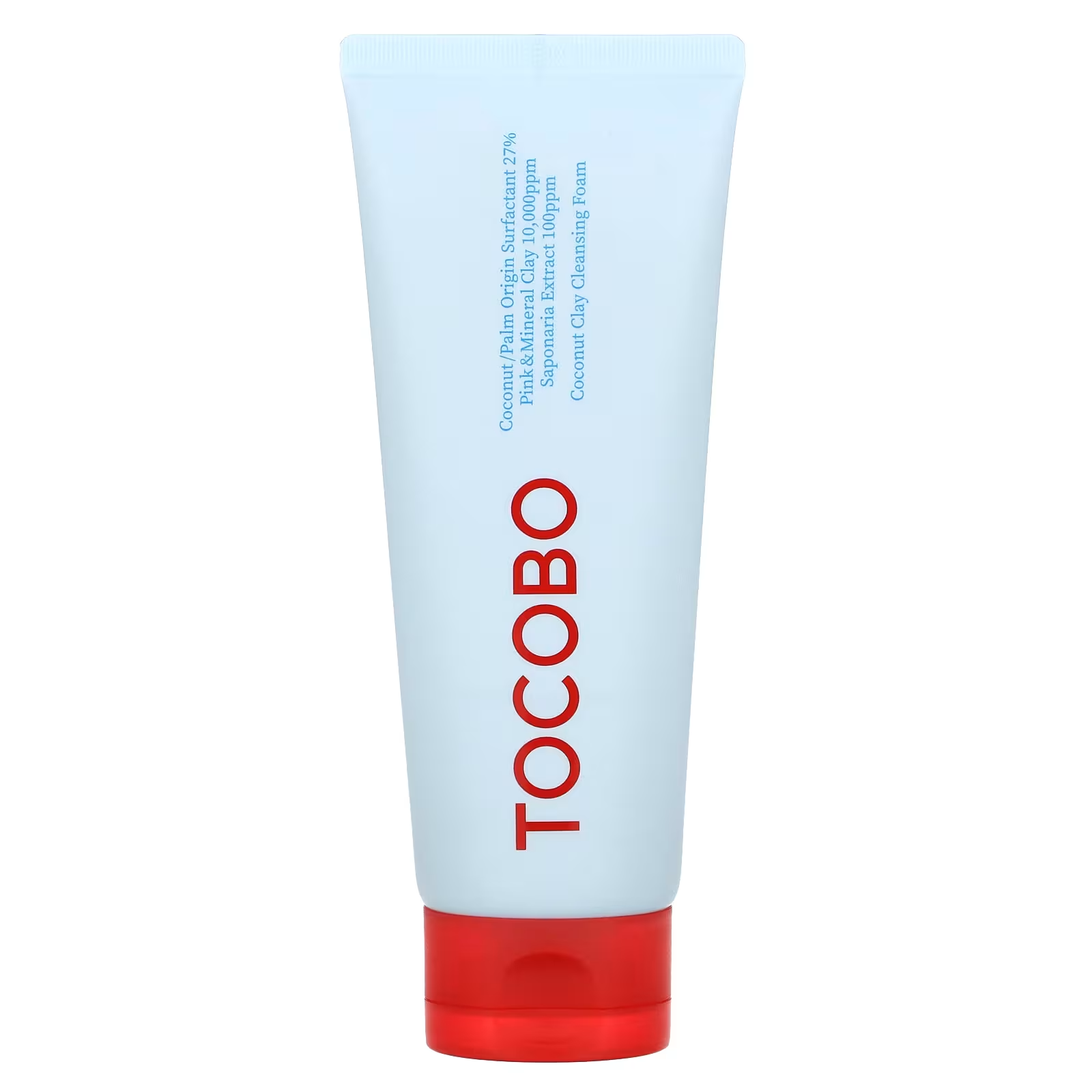
iHerb Tocobo Coconut Clay Cleansing Foam product photo

洗顔は「落ちる」より「続けられる」か

TOCOBOのCoconut Clay Cleansing Foamのような洗顔は、クレイ、泡、洗浄力、すっきり感といった言葉が気になります。ただ、洗顔料は強く落ちれば良いわけではありません。乾燥しやすい人、敏感に傾きやすい人、朝だけ軽く洗いたい人、メイク落とし後に使いたい人では、求めるバランスが違います。

iHerbで洗顔を選ぶときは、レビューの中で「つっぱる」「香りが強い」「泡立ちが良い」「少量で十分」「乾燥しにくい」といった具体的な表現を探します。ランキングだけでは肌への相性はわかりません。成分に詳しくなくても、使った人の具体的な不満を読むだけで、かなり判断しやすくなります。

また、K-Beautyはパッケージやブランドの世界観が魅力的なので、ついライン使いしたくなります。でも初めてのブランドなら、まず1品だけ試すほうが安全です。洗顔、日焼け止め、保湿のどれか一つから始めて、肌の反応を見てから増やすほうが無駄が少ないです。

iHerbのK-Beautyが向いている買い方

iHerbのK-Beautyは、特定ブランドを指名買いするより、カテゴリを見ながら比較したい人に向いています。たとえば日焼け止めを探しているなら、価格、容量、レビュー、評価、成分の方向性を並べて見られます。日本のショップでは売り切れている商品や、別サイズ、別バージョンを見つけられることもあります。

一方で、色物コスメや香りものは実物確認ができないぶん慎重に選ぶ必要があります。スキンケアでも、肌に合うかどうかは届いて使うまでわかりません。だからこそ、初回は少数購入にして、肌に合ったものだけ継続するのがいいです。

結論として、iHerbはK-Beautyを「安く大量に買う場所」というより、「比較しながら自分向けの商品を探す場所」として使うと満足度が高いです。日焼け止め、洗顔、保湿、シートマスクなど、日常で消費するものから試すのがおすすめです。最新の在庫やセールはiHerb公式ページで確認してから選んでください。

日本で買う場合との違い

日本のショップでK-Beautyを買うメリットは、到着が早く、返品や問い合わせがしやすいことです。一方でiHerbは、ブランド横断の比較、海外でのレビュー、カテゴリの広さが魅力です。どちらが上というより、急ぎなら国内、比較して選びたいならiHerbという使い分けが現実的です。

また、iHerbでは同じブランドでも日本で見かけない商品やサイズが出てくることがあります。これは楽しい反面、商品説明をよく読む必要があるということでもあります。日焼け止めなら使用期限、容量、肌質との相性、洗顔なら香りや洗い上がりを確認してから選ぶと、海外通販でも失敗しにくくなります。

スキンケアは一度に何品も変えると、肌に合わなかったとき原因がわかりにくくなります。iHerbで買う場合も、最初は日焼け止めか洗顔のどちらか一つから始め、数日から数週間様子を見るほうが安心です。流行よりも、自分の肌が毎日受け入れられるかを基準にしたほうが、結局長く使える商品に出会いやすいです。

How to Release Music With DistroKid: A Practical Launch Checklist

Disclosure: This article may contain affiliate links. If you sign up through a link, Tgtbuy may earn a commission at no extra cost to you.

Releasing music is not difficult because one button is hard to find. It is difficult because the button sits at the end of a long chain of small decisions: the final master, the cover art, the artist name, the title casing, the featured artist fields, the release date, the stores, the royalty split, the social announcement, and the quiet fear that one typo will follow the song around forever. That is the exact problem DistroKid tries to make smaller.

This guide is not written like a dramatic success story. It is a practical launch checklist for independent artists who want to use DistroKid to get music onto Spotify, Apple Music, TikTok, YouTube Music, Amazon, Deezer, TIDAL, Instagram and Facebook, Pandora, iHeartRadio, and many other platforms without turning every release into a project-management crisis. The best way to think about DistroKid is not as a magic marketing machine. It is a fast distribution layer. You still need the song, the audience, the release plan, and the discipline to double-check your metadata.

DistroKid release preparation icon

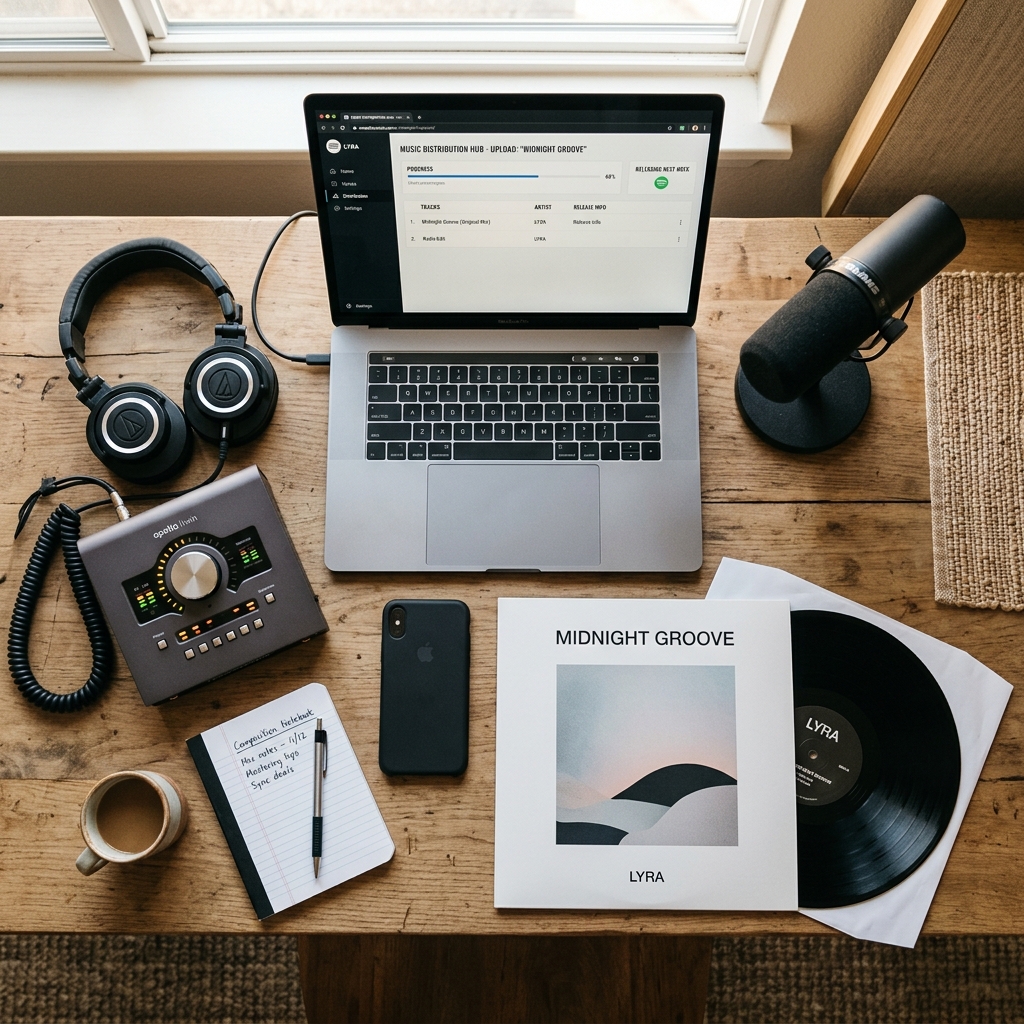
If you are searching for how to release music with DistroKid, the first thing to know is that the upload itself should be one of the final steps, not the beginning of the process. DistroKid can move quickly, but speed is only helpful when your assets are already clean. Before you open the upload form, make a simple folder for the release and put the final WAV file, cover art, lyric sheet, credits, songwriter names, ISRC information if you already have it, and your planned release copy in one place. That boring folder will save you more stress than any last-minute productivity trick.

Start With The Audio File, Not The Store List

The most common mistake I see newer artists make is treating distribution as the creative deadline. They finish the mix, upload the file immediately, and then discover the master is a little too quiet, the intro has a click, the exported file has the wrong version name, or the artwork was designed for Instagram but not for music stores. DistroKid is quick enough that you can upload a song soon after finishing it, but that does not mean you should use the distribution form as your quality-control process.

Listen to the final audio file from beginning to end on headphones, laptop speakers, a phone, and anything else you normally use. You do not need a laboratory. You do need to catch obvious problems before the file becomes the official version. Name the file clearly. If you have a clean version, explicit version, instrumental, radio edit, or remaster, keep those versions separate and label them in a way that will still make sense six months later.

DistroKid can help you deliver the file to many platforms, but it cannot decide whether the snare is too sharp or whether the outro fades too early. That is still your job. Distribution rewards preparation.

Make Cover Art That Will Survive Small Screens

Cover art has two lives. It has the full-size life you see while designing it, and the tiny square life it lives inside a streaming app. Before uploading through DistroKid, view the art as a small thumbnail. If the artist name disappears, the title becomes unreadable, or the image only works because you know what it is supposed to be, simplify it. Stores can reject art for technical reasons, but even approved art can underperform if it is too busy to understand quickly.

Keep the artwork file in the same release folder as the audio. Avoid building the release around art you cannot legally use. If you hired a designer, keep the source agreement or license somewhere easy to find. If you made the art yourself, export a clean square version and avoid adding store logos, fake review badges, pricing, or anything that looks like a promotional flyer. The art should represent the release, not shout at the listener.

Decide The Artist Name Before You Upload

The artist-name field looks simple until it is not. Is this your solo name, a duo, a producer alias, a band, a featured collaboration, or a label compilation? If you already have music live on streaming platforms, consistency matters. A small punctuation difference can create a separate artist profile or make the release harder to connect to the right catalog. DistroKid offers access to artist-profile tools on major platforms, but you still want the upload metadata to point in the right direction from the start.

If you are releasing with collaborators, decide how they should appear before upload day. A producer who belongs in the credits is not always a featured artist. A vocalist who appears in the title might need to be entered differently from a songwriter. These distinctions affect how the release appears in stores and how listeners discover it. Do not guess while half-asleep at midnight.

Use DistroKid’s Unlimited Upload Model Strategically

One of the main reasons artists choose DistroKid is the annual unlimited-upload model. The public pricing page currently shows the Musician plan at $24.99 billed annually, Musician Plus at $44.99 billed annually, and Ultimate starting at $89.99 billed annually for 5+ artists. That structure changes the psychology of releasing. If you are building a catalog through singles, instrumentals, demos, seasonal tracks, remixes, or multiple artist projects, unlimited uploads can feel much less restrictive than paying attention to every individual release as a separate expense.

That does not mean you should upload everything you ever export. Unlimited distribution is not unlimited listener attention. Use the flexibility to release consistently, test ideas, and avoid delaying finished work for artificial reasons. Do not use it as permission to publish unfinished material that weakens your artist page. The best use of DistroKid’s model is controlled volume: more music than a perfectionist would release, less noise than an impatient artist would dump.

Pick The Right Plan Before The Release Date Matters

The entry Musician plan can make sense for a solo artist who wants a straightforward way to distribute music. The moment you care about a customizable release date, a custom label name, daily streaming stats, custom ISRC codes, preorder settings, or more control over how the release is presented, Musician Plus becomes easier to justify. For small labels or people managing multiple artist names, the Ultimate plan is the more relevant comparison because it is designed for 5 to 100 artists depending on tier.

The practical question is not, “Which plan is cheapest?” The better question is, “Which plan prevents me from fighting my own release calendar?” If you are planning a serious launch, pitching content, building short-form clips, and trying to coordinate the song with a video or press push, release-date control matters. If you are casually uploading a track without a campaign, the lowest plan may be enough.

Give The Stores Time, Even If DistroKid Moves Fast

DistroKid’s Help Center explains that releases can take several days to be reviewed, approved, and delivered to streaming services. Its rough estimates vary by store: Spotify often takes a few days, Apple Music can take longer, Amazon and YouTube Music may be quicker, TikTok may also move quickly, and Facebook or Instagram can take one to two weeks. These are estimates, not promises. Store review queues, metadata questions, holidays, and platform-side delays can change the timeline.

For a real launch, do not upload the night before the date you care about. Build a buffer. If the song matters, treat two weeks as a calmer planning window. That gives you time to catch metadata mistakes, claim or update artist profiles, prepare pre-save or smart-link pages, and avoid refreshing the dashboard every hour. DistroKid is fast, but fast distribution still runs through other companies’ systems.

DistroKid stores delivery icon

Check Metadata Like It Is Part Of The Song

Metadata is not glamorous, but it is what stores, royalty systems, search tools, and listeners actually read. Check the song title. Check capitalization. Check whether the version title belongs in parentheses. Check songwriter names and credits. Check whether the release is explicit. Check language. Check whether the artist name matches the existing platform profile. Check the release date and time zone. Check whether the artwork file is correct. Then step away for ten minutes and check again.

Avoid adding marketing language to titles. Do not put “official single,” “viral hit,” “TikTok version,” or other promotional clutter into fields that are meant to identify the music. Store guidelines exist for a reason, and a rejection at the metadata stage can delay the whole release. The upload form is where boring accuracy beats cleverness.

Set Up Royalty Splits Before Emotions Get Involved

If other people worked on the music, talk about royalty splits before the release starts earning anything. DistroKid includes royalty splits, and the concept is simple: you can split earnings from songs or albums and have collaborators paid through DistroKid. In practice, the hard part is not the software feature. The hard part is agreeing on percentages with producers, vocalists, writers, managers, or bandmates before assumptions harden into resentment.

Write the split down. Confirm the collaborators’ DistroKid accounts or invite process. Make sure everyone understands that store reporting and payouts are not instant. If someone expects immediate money the day the track appears on Spotify, correct that expectation before launch. Good release operations are partly about money and partly about preventing awkward conversations later.

Know Which Extras Are Optional

DistroKid offers optional Album Extras such as Discovery Pack, Store Maximizer, Social Media Pack, Beatport, cover song licensing, Leave a Legacy, Dolby Atmos, and Loudness Normalization. Some can be useful. Some may be unnecessary for a specific release. The mistake is treating every extra as either mandatory or suspicious. The better approach is to connect each extra to the actual release goal.

If you are releasing a cover, licensing is not an optional decoration. If you are releasing original music and mainly testing audience reaction, you may not need every enhancement. If a track is part of a long-term catalog strategy, you may care more about broader discovery and permanence. Read the checkout details carefully. The base annual plan is only part of the cost picture if you choose extras.

Prepare Your Artist Profiles And Links

DistroKid promotes tools such as HyperFollow, Promo Cards, Mini Videos, Mixea, DistroVid, mobile app access, and access to Spotify and Apple Music for Artists. These tools can help, but they work better when you already know what you want to send people to. Before release week, decide where your audience should click. A smart-link page can be useful because not every listener uses the same platform. Your Instagram audience may want one link. Your email list may need another. Your collaborators may need a clean link they can share without rewriting your launch copy.

Do not wait until the song is live to write every caption. Prepare a short announcement, a longer email, a few clips, and a basic explanation of why the song exists. Distribution gets the music into stores. Promotion gets the music in front of people.

Use The Release Day For Checking, Not Panicking

On release day, check the major platforms, but do not spiral if every store is not synchronized at the same minute. Make sure the song appears correctly where it is live. Click the artist name. Check the artwork. Check whether the title is correct. Update your links. Share the release. Thank collaborators. Save screenshots for your own records. If something is wrong, document it calmly and use the proper support path.

It helps to separate urgent problems from normal platform lag. A wrong artist profile, incorrect title, missing explicit label, or broken artwork is worth attention. A store taking longer than another store may simply be part of the distribution process. The better your buffer before release day, the less every delay feels like a crisis.

Who Should Use DistroKid For This Workflow?

DistroKid is a strong fit for independent artists who plan to release more than one song, producers who build catalogs, collaborators who need royalty splits, and small labels that want a predictable annual distribution system. It is especially appealing if you think in singles and momentum rather than rare album cycles. The more often you release, the more the unlimited-upload model makes sense.

It may be less compelling if you only plan to release one song and then disappear, if you dislike annual subscriptions, or if you want a distributor to act like a full-service marketing team. DistroKid can help you distribute music; it will not manufacture an audience for you. That distinction matters.

Final Checklist Before You Click Upload

Before you send the release through DistroKid, confirm the final audio file, artwork, title, artist name, featured artist fields, songwriter credits, explicit status, lyrics, release date, plan level, royalty splits, optional extras, and promotional links. Then review the whole thing again with the mindset that this is not paperwork. This is the public version of your music entering the world.

If your goal is to release consistently while keeping control of your catalog, DistroKid is one of the most practical tools to consider. It is not perfect, and it does not remove the need for planning, but it removes enough distribution friction that independent artists can focus on the harder work: making better songs, building a release rhythm, and giving listeners a clear path to find the music.

DistroKid Pricing: When the Annual Plan Is Actually Worth It

If you’ve spent more than ten minutes researching music distribution, you already know DistroKid is one of the names that keeps coming up. What’s harder to find is a straight answer to the only question that actually matters when you’re staring at the checkout page: does the math work for your release schedule, or are you about to pay for capacity you’ll never use? This is not a personality review of the company. It’s a financial audit. We’re going to put real numbers against real usage patterns and figure out the minimum activity level that justifies each tier, where the hidden costs hide, and when you should just skip the subscription model entirely.

Pricing referenced throughout reflects what DistroKid publicly displayed on its plans page: Musician at $24.99/year (about $2.08/month, 1 artist), Musician Plus at $44.99/year (about $3.75/month, 2 artists), and Ultimate at $89.99/year (about $7.50/month, 5 to 100 artists). All three tiers advertise unlimited songs and unlimited uploads. That phrase “unlimited” is the entire pitch — and also the entire trap, because unlimited capacity is only valuable if you actually release music at volume.

Disclosure: Some links in this article may be affiliate links. If you sign up through them, this site may earn a commission at no additional cost to you. That does not change the math below.

The Core Pricing Reality, Stripped of Marketing

Strip away the “unlimited” language and DistroKid is selling you one thing: the right to upload as many songs as you want during your subscription year without paying per release. Most legacy distributors and several modern competitors charge somewhere in the range of $10 to $50 per single and $20 to $80 per album, or take a percentage of royalties on top. We’re not going to pretend to quote exact competitor prices here because those move constantly, but the structural difference matters more than any specific dollar figure: DistroKid is a flat annual fee with no per-release charge on the base distribution itself.

That model is brilliant if you release a lot. It is wasteful if you release once and never log in again. The fork in the decision tree is your release frequency, full stop.

Break-Even Math: Musician Tier ($24.99/year)

Let’s assume a hypothetical pay-per-release competitor charges roughly $10 for a single and $20 for an EP/album upload (rough industry-typical figure, not a quoted competitor rate). At those numbers:

    • If you release 3 or more singles in a year, the Musician tier ($24.99) is already cheaper than paying per release at $10 each ($30).
    • If you release 2 EPs or albums in a year at a hypothetical $20 each ($40 total), again the annual plan wins.
    • If you release 1 single per year and nothing else, you are paying $24.99 for what would have cost you roughly $10 elsewhere. You lost $15.

So the usage floor for the Musician tier is clear: you need at least 3 singles or 2 longer releases per year for the annual model to beat pay-per-release pricing on the distribution fee alone. Below that, you are subsidizing the convenience of “I might release more this year.”

Now translate that into time-value terms. If you are a working musician valuing your studio time at even $50/hour (which is conservative — session players and freelance producers routinely charge $75–$150/hour), the $24.99 fee is roughly 30 minutes of your billable time. The financial risk on this tier is genuinely small. The bigger risk is opportunity cost, which we’ll cover under hidden costs.

Break-Even Math: Musician Plus ($44.99/year)

The Musician Plus tier nearly doubles the cost and adds: a second artist project, customizable label name, customizable release date, preorder date, iTunes pricing control, custom ISRC codes, and daily streaming stats. The two-artist allowance is the headline feature for anyone in a duo, a side project, or producing under a separate alias.

Here’s where the math gets interesting. If you would otherwise need to buy two Musician subscriptions to cover two artist names (2 × $24.99 = $49.98), then Musician Plus at $44.99 is already $4.99 cheaper. So the moment you have a legitimate second artist identity — even a remix alias, a beat-maker name, a band side project — the upgrade pays for itself purely on the artist-slot math, before any of the extra features factor in.

For solo artists who don’t need a second artist slot, the upgrade question becomes: are the added features worth $20/year? Let’s price them individually:

    • Custom ISRC codes: ISRCs are free if you have a registrant code, but most independents don’t. Buying ISRCs externally can run roughly $5–$80 depending on volume and provider. If you release 5+ tracks per year, having custom ISRCs included in the plan is a tangible save.
    • Custom release date / preorder: Critical if you do any pre-release marketing. A two-week preorder window can drive playlist pitch advantages. There’s no direct dollar figure here, but if you’re paying a publicist or running ads, you absolutely need scheduled release dates.
    • Daily streaming stats: Marginal value. Spotify for Artists already provides this for free, so don’t pretend this line item alone is worth $20.
    • Customizable label name: Mostly cosmetic, but if you’re presenting to press, sync agents, or trying to look like a real imprint, it matters.

Usage floor for Musician Plus: you should be releasing at least 4–6 tracks per year AND need either a second artist slot, scheduled release dates for promotional reasons, or custom ISRCs. If you tick two of those three boxes, the upgrade is rational. If you tick none, stay on Musician.

DistroKid pricing

Break-Even Math: Ultimate ($89.99/year)

This is where the audit gets sharper. Ultimate is roughly double Musician Plus and four times the base Musician tier. You get 5 to 100 artist slots, 1 TB of Instant Share storage, Playlister access, Artist Profile Alerts, and RIAA Award Monitoring, on top of everything in lower tiers.

The artist slot math is straightforward. If you genuinely manage 5 or more artist projects — small label running 5 acts, a producer with multiple aliases, a family of solo artists sharing administrative resources — then Ultimate at $89.99 absorbs what would otherwise be 5 × $24.99 = $124.95 in separate Musician subscriptions. You save $34.96 minimum, and you gain administrative simplicity (one login, one billing, one tax document at year-end).

If you have only 3 artists, you’d be paying $89.99 for what 3 × $24.99 ($74.97) or one Musician Plus + one Musician ($69.98) would cover. Ultimate is not justified by artist count alone until you cross 4–5 acts.

The other Ultimate-only features need their own scrutiny:

    • 1 TB Instant Share: This is cloud storage for stems and project files. Comparable services like Dropbox or Google Drive run $10–$12/month for 2 TB, or $120–$144/year. If you would otherwise pay for cloud storage, this is a hidden $100+ value. If you already have storage covered, it’s worth zero to you.
    • Playlister access: A pitching tool. Value depends entirely on results, which are never guaranteed.
    • RIAA Award Monitoring: Charming if you’re at that level, irrelevant if you’re not.

Usage floor for Ultimate: either (a) 4+ artist projects under one roof, or (b) 2–3 artists plus genuine use of the 1 TB storage as a replacement for an existing paid cloud plan. Anything below that and you are paying for ceiling, not floor.

Hidden Costs Most Subscribers Don’t Factor In

Here is where the sticker price quietly stops being the real price.

1. Optional Album Extras. DistroKid publicly lists optional add-ons including Discovery Pack, Store Maximizer, Social Media Pack, Beatport distribution, cover song licensing, Leave a Legacy, Dolby Atmos, and Loudness Normalization. None of these are mandatory. All of them are upsold during the release flow, which is the moment you are least likely to do cool-headed math because you just want your song to go live. A single release with three or four of these add-ons can easily push your real per-release cost well past what a flat-fee competitor would have charged. The Musician tier at $24.99 looks elegant on paper; the same tier plus $20–$50 of Album Extras per release looks like something else entirely. Budget your extras in advance, or you will discover them in your card statement.

2. Cover song licensing. If any part of your catalog is covers, you’ll need mechanical licenses. DistroKid offers cover licensing as a paid add-on. Independent licensing services charge roughly $15–$25 per song for a fixed period. This is not unique to DistroKid, but it is a cost you must factor in if covers are part of your release plan. A single cover release on the cheapest tier can effectively double the annual cost of the subscription itself.

3. Renewal pressure. The subscription is annual. If you forget to renew, your catalog can be removed from stores. That creates a soft lock-in: once you’ve built up streams, playlist placements, and algorithmic momentum on a release, taking it down to switch distributors costs you that momentum. The “switching cost” never shows up on the invoice, but it is very real. Estimate it as several weeks to several months of streaming income on your top tracks, depending on catalog size.

4. Learning curve and admin time. First-time users typically spend 1–3 hours learning the upload flow, splits, metadata standards, and artwork specs. At a $75/hour freelance rate, that’s $75–$225 in unbilled time. Second and subsequent releases get much faster, but the first one is not free.

5. Royalty splits administration. Splits are included in all tiers, which is genuinely useful, but the time cost of getting collaborators to claim their splits, verify their accounts, and stay on top of payouts is non-zero. If you have a producer, a featured artist, and a mixer all on splits, expect 30–60 minutes of coordination per release.

6. Timing caveats. DistroKid’s Help Center notes review and delivery times that vary by platform — roughly Spotify 2–5 days, Apple Music 1–7 days, and Instagram/Facebook up to about 2 weeks. If you are on a deadline (sync placement, music video drop, tour announcement), this delivery window is a cost you pay in planning overhead. You cannot upload Thursday and expect everything live Friday.

Which Tier Fits Which Real-World Profile

Translating the math into actual reader profiles:

    • The hobbyist releasing 1 song per year: Skip the subscription model entirely. Use a pay-per-release distributor. You will spend less. DistroKid only starts to win at 3+ releases per year on the base tier.
    • The active solo artist releasing 4–12 singles per year, one artist name: Musician at $24.99 is the rational choice. You don’t need the Plus features unless you specifically want scheduled release dates or custom ISRCs.
    • The solo artist who actively promotes releases with preorder campaigns: Musician Plus. The customizable release date alone is worth the bump if you run any kind of pitch campaign or coordinate with a publicist.
    • The two-artist project (duo, producer+vocalist, two-alias creator): Musician Plus. Cheaper than two Musician subscriptions, and you get the feature bump for free in effect.
    • The small label or multi-alias producer (3 artists): Ambiguous. Two Musician + one Musician Plus, or three Musician subscriptions, will cost roughly $70–$95. Ultimate is $89.99. The deciding factor is whether you value the unified login, the storage, and the extra features. Lean Ultimate if you want one bill and one dashboard.
    • The label or collective with 4+ artists: Ultimate, unambiguously. The math stops being close.
    • The catalog dormant artist: If your music is already up and you’re not releasing new material, you still need some distributor active to keep your catalog live. The cheapest tier is the right answer here, and it’s worth re-evaluating whether you even need to stay distributed for tracks earning negligible royalties.
DistroKid pricing

What I Wish Were in Lower Tiers

This is where the pricing structure deserves direct critique. For the purposes of this audit, assume the evaluator is on the Musician Plus tier — the most common upgrade point and the one where the cost-to-feature ratio is most defensible.

Three features feel mispositioned:

    • Custom release date should be on the base Musician tier. Scheduling a release date a few weeks out is fundamental to any kind of release planning, including Spotify editorial pitching, which requires lead time. Locking this behind the $44.99 tier pushes new artists into either upgrading or releasing without proper pitch windows, which hurts their outcomes.
    • Customizable label name is a cosmetic feature behind a paywall. Independent artists presenting themselves to press, sync agents, and venues benefit from looking like a proper imprint. This feels like a feature that should be base-tier or available as a small one-time unlock.
    • Daily streaming stats on Plus is almost meaningless because Spotify for Artists provides them free. Selling this as a Plus differentiator is weak. It shouldn’t be a deciding factor for anyone upgrading.

On the Ultimate side, the 1 TB Instant Share is genuinely useful but is buried inside a tier most subscribers don’t need. A standalone storage add-on at a lower price would serve mid-size users better than forcing them to climb to the top tier.

When the Annual Plan Is Actually Worth It

Bringing it all together, the annual subscription model wins when:

    • You will release at least 3 pieces of music in the year (singles count individually).
    • You intend to keep your catalog live for multiple years, making renewal a sunk decision rather than an active one each cycle.
    • You are not relying on covers as your primary release type (because the licensing add-ons stack up).
    • You either need the unified artist management of higher tiers or you can resist the Album Extras upsell on every release.

It does not win when:

    • You’re releasing one demo to see what happens.
    • You’re a covers-only artist where licensing costs dominate the bill.
    • You want maximum flexibility to switch services every year (subscription lock-in via catalog momentum is real).
    • You’d be upgrading purely on the promise of features you won’t actually use, like advanced analytics you can already get free elsewhere.

The Honest Bottom Line

DistroKid’s pricing structure is genuinely competitive for the volume-release musician and structurally hostile to the once-a-year hobbyist. The Musician tier at $24.99/year is one of the cheaper ways into major streaming platforms if you cross the 3-release-per-year threshold. The Musician Plus tier at $44.99/year is the sweet spot for serious solo artists and most duos, and arguably the tier most readers should default to once they’re committed. The Ultimate tier at $89.99/year only makes financial sense above 4 artist projects or when you genuinely use the included storage.

The hidden costs are real but manageable if you go in with discipline. Decide in advance which Album Extras you will and will not buy, budget for cover licensing if relevant, and treat the annual fee as the floor of your real cost, not the ceiling. Plan release dates with the delivery windows in mind — Spotify 2–5 days, Instagram/Facebook up to two weeks — so you don’t get caught flat-footed before a campaign.

The conclusion is not “subscribe immediately” and it is not “avoid this.” It is: match the tier to your actual release behavior over the next 12 months, not your aspirational behavior. If you genuinely cannot project 3+ releases in the next year, save the $24.99 and use a pay-per-release service. If you can confidently project 6+ releases, two artist names, or a small roster, the annual plan structure becomes the rational pick and the only remaining question is which of the three tiers fits your roster shape. Everything else — the marketing, the feature lists, the upsells — is noise around that one core decision.

Audit your past 24 months of actual output. Not what you plan to do. What you did. Then pick the tier that matches that reality plus maybe 20% headroom. That is the only honest way to buy this product.

DistroKid: Pros & Cons

Pros Cons
✅ Fast upload to stores (often 24-48 hours) ❌ Annual subscription required to keep music live
✅ Unlimited uploads for a flat yearly fee ❌ Add-ons like “Leave a Legacy” increase cost
✅ Automatic royalty splits for collaborators ❌ Customer support can be slow via email tickets
✅ Keep 100% of your earnings ❌ Basic tier lacks custom release dates

More Reviews on Tgtbuy

Based on this math, {name} earns its keep only if you’re producing consistently. If that describes you: pricing details here.

Ready to try it?
See the latest details on the official website.

Visit Official Website

Opens in a new tab.

Whatnot vs eBay and Mercari Review: Where Live Shopping Wins and Loses

The easiest way to explain Whatnot is to compare it with marketplaces people already know. eBay is the deep database. Mercari is the casual resale app. Facebook Marketplace is local and messy. Amazon is fast retail. Whatnot is different because the core experience is live. You are not only buying an item; you are watching someone sell it in real time, often with chat, countdowns, giveaways, and a small community gathered around a category. That difference changes the entire shopping experience.

This Whatnot vs eBay vs Mercari review is not about declaring one marketplace universally better. Each platform solves a different problem. If you know the exact item you want and need searchable history, eBay is hard to beat. If you want a simple secondhand listing app, Mercari can be easier. If you want the energy of auctions, seller personalities, live product handling, and collector communities, Whatnot has a real advantage. The question is not “which site is best?” The better question is “which site matches the way this item should be bought?”

Ready to try it?

See the latest details on the official website.

Visit Official Website

Opens in a new tab.

Whatnot live shopping marketplace app
Whatnot competes with traditional resale marketplaces by making shopping live, social, and auction-driven.

Search Marketplace Versus Live Marketplace

Traditional marketplaces start with search. You type a product, filter price, compare photos, read feedback, and decide. That model is efficient when you already know what you want. It is less exciting when you are browsing for discovery. Whatnot reverses the feeling. You can search and follow sellers, but much of the app’s value comes from entering a live show and seeing what appears. A seller may run items you did not know to search for. Chat may reveal context. A sudden auction may create a deal or at least a story.

The downside is that live discovery is not efficient. If you need a specific size, model, grade, or price, watching streams can take longer than filtering listings. A buyer looking for one exact sneaker size or one exact comic issue may find eBay easier. A buyer who wants to discover vintage toys, card lots, clothing drops, or a seller’s curated inventory may prefer Whatnot. The live format is best when the journey has value, not only the destination.

Pricing and Deals

Whatnot can produce good deals, but the route to a deal is different. On eBay, you often compare completed sales and current listings. On Mercari, you may make offers and wait. On Whatnot, price is shaped by who is in the room at that moment. A slow stream can create bargains. A hyped stream can push prices above market. A charismatic seller can move inventory quickly. A sudden-death auction can reward decisive buyers. A standard auction can give people time to fight back.

This means Whatnot is not automatically cheaper. It is more situational. You may win an item below market because the right buyers were absent. You may overpay because chat energy made the auction feel important. Smart buyers use other marketplaces as price references before bidding. Smart sellers understand that Whatnot can convert attention into higher sell-through, but not every item should start low if the seller cannot afford a weak room.

Whatnot app live auctions and marketplace
Live auctions can create bargains or overbids depending on timing, seller trust, and buyer discipline.

Trust and Seller Personality

On eBay and Mercari, trust is mostly built through photos, descriptions, ratings, and transaction history. On Whatnot, trust is also built through presence. You hear the seller speak. You watch how they handle items. You see whether they answer condition questions directly. You notice how regular buyers behave in chat. This can create stronger trust faster than static feedback alone, especially in categories where expertise matters.

But personality can also blur judgment. A funny seller is not automatically accurate. A confident seller is not automatically honest. A busy stream is not automatically a good deal. Whatnot buyers should enjoy personality without outsourcing due diligence to it. In high-value categories, the same rules still apply: check condition, compare market value, understand authenticity risk, and keep the transaction on platform.

Shipping and Fulfillment

Shipping is more predictable on some traditional marketplaces because listings can show fixed shipping details before purchase. Whatnot’s shipping can be efficient, especially when bundled with one seller, but the total cost can feel less obvious during a fast stream. The platform handles shipping workflows, and U.S. seller orders generally ship through USPS, but buyers should still watch the checkout total and understand that small purchases from multiple sellers can stack shipping costs quickly.

For sellers, Whatnot can simplify parts of fulfillment through Seller Hub, labels, and order tools, but it also creates a volume challenge. A successful live show can generate many small orders in a short time. That is very different from receiving individual marketplace orders across a week. Sellers who do not prepare packing supplies, sorting systems, and shipment review processes can fall behind. In comparison, eBay and Mercari often feel slower and more manageable for casual sellers.

Best Categories for Each Platform

  • Use Whatnot when live explanation, seller trust, community, and auction energy add value.
  • Use eBay when you need exact search, historical price comparison, rare long-tail items, or patient bidding.
  • Use Mercari when you want casual resale, simple offers, and less live-show intensity.
  • Use local marketplaces when pickup matters more than shipping or platform protection.
  • Use retail sites when you need new products, warranties, fast delivery, and predictable returns.

Where Whatnot Wins

Whatnot wins on entertainment, category community, and real-time selling. It is better than static marketplaces when the item benefits from being shown live. A seller can display a card surface, flip through comic pages, show sneaker wear, hold a jacket up to the camera, explain a coin, or open sealed product on stream. The buyer gets a richer moment than a photo grid can provide. For hobby categories, that moment can be the difference between browsing and buying.

It also wins for sellers who can perform and curate. A good Whatnot seller can turn a box of inventory into an event. They can move similar items quickly, build regulars, and create demand around a scheduled show. Static marketplaces are better for passive search demand. Whatnot is better for active audience demand. That is a real distinction.

Where Whatnot Loses

Whatnot loses when buyers need calm comparison. It is harder to step back when an auction is moving. It is easier to overspend. It can be harder to find one exact item quickly. Seller quality varies. App timing, stream lag, and auction pressure can frustrate buyers who prefer slow research. Shipping can also make a low winning bid less impressive once the final total appears.

For sellers, Whatnot loses if you dislike live interaction or cannot maintain fulfillment. A static listing can sit while you sleep. A live show requires energy, scheduling, and audience building. If your inventory is slow-moving but searchable, eBay may be better. If your inventory is curated, visual, and community-driven, Whatnot may outperform.

How I Would Choose

I would choose Whatnot for discovery sessions, collector categories, seller-led drops, and lower to mid-priced purchases where the experience itself is enjoyable. I would choose eBay for price research, specific searches, and rare items where I want a wider market. I would choose Mercari for casual secondhand shopping when I do not want live pressure. I would use all three as price references before buying anything expensive.

That is the mature answer: Whatnot is not a replacement for every marketplace. It is a new layer. It is the marketplace you use when live energy adds value. It is not necessarily the marketplace you use when you need the slowest, most rational decision. Buyers who understand that distinction will get much more out of the app.

Final Verdict

Whatnot is better than eBay or Mercari only for certain jobs. It is better for live discovery, community, entertainment, and sellers who can explain inventory in real time. It is weaker for calm comparison shopping and exact search. eBay remains the better reference database. Mercari remains simpler for many casual resale purchases. Whatnot is the most alive of the three, and that liveliness is both its advantage and its risk.

If you enjoy auctions, collectibles, and human energy, Whatnot is absolutely worth trying. If you want quiet price comparison, use it carefully alongside other marketplaces. The smartest shoppers do not pick one platform forever. They choose the right tool for the purchase.

Ready to try it?

See the latest details on the official website.

Visit Official Website

Opens in a new tab.

A Real Purchase Example

Imagine you want a vintage video game, a graded sports card, and a pair of used sneakers. For the video game, eBay may be the better starting point because exact title, platform, condition, and sold comps matter. You can filter patiently. For the graded sports card, eBay again provides strong price history, but Whatnot may be useful if a trusted seller is running a show with similar cards and is willing to discuss population, centering, and recent comps. For the used sneakers, Whatnot can be compelling if the seller shows soles, uppers, box condition, and flaws live, but only if you already understand market price and authenticity risk.

That example shows why the answer changes by item. Whatnot is strongest when the live seller adds information or excitement that a static listing cannot. eBay is strongest when the listing database itself is the value. Mercari is strongest when casual resale and offers are enough. A buyer who uses Whatnot alone may overpay because they lack price context. A buyer who uses eBay alone may miss the community and live inspection advantages. The smartest buyer lets the platforms check each other.

A Real Seller Example

Now imagine a seller with 200 low-to-mid value comics. On eBay, each comic needs photos, title, condition notes, pricing, and patience. Some will sell eventually. On Whatnot, the seller can run a themed live show, explain story arcs, group related books, and create momentum. The show may move more inventory faster, especially if the seller has knowledge and personality. But it also requires preparation, camera setup, and shipping many orders at once. The platform with the highest gross sales may not be the platform with the highest hourly profit.

A sneaker seller faces a different choice. Static listings give buyers time to inspect photos. Whatnot gives buyers live visibility and seller interaction. The live show can build confidence, but it also puts pressure on the seller to answer authenticity and condition questions immediately. For higher-priced items, the seller must decide whether the speed of live selling helps or hurts trust. Sometimes slower is better. Sometimes the live room creates conversion that static listings never achieve.

Decision Framework

  • Choose Whatnot when the seller can add trust, education, urgency, or entertainment live.
  • Choose eBay when exact search, long-tail availability, and price history matter most.
  • Choose Mercari when a casual offer-based purchase is enough and live interaction adds little.
  • Cross-check prices before bidding on Whatnot, especially for items above your casual spending limit.
  • For sellers, compare net profit per hour, not only sell-through rate.

The Honest Middle Ground

The best comparison is not Whatnot versus eBay versus Mercari as enemies. Many serious buyers and sellers will use all of them. Whatnot can create demand and community. eBay can validate price and reach search buyers. Mercari can move casual inventory. A collector may discover an item on Whatnot, research it on eBay, and buy it later from the same Whatnot seller after trust develops. A seller may use Whatnot for live liquidation and eBay for rarer pieces that deserve patient pricing.

That middle ground is healthier than platform loyalty. Whatnot is exciting, but excitement should not replace research. eBay is useful, but databases do not create community. Mercari is simple, but simplicity can limit seller storytelling. Each marketplace has a personality. The best users understand those personalities and move accordingly.

That is the practical takeaway. Use Whatnot when live context matters, and use the older marketplaces when patience, search depth, and price history matter more.

DistroKid Review: The Practical Music Distribution Choice for Independent Artists

I run a small home studio out of a converted spare bedroom, and for the last few years I’ve been wearing too many hats. I produce my own stuff, I mix for two other artists who pay me in beer and the occasional Venmo, and I help a friend’s tiny indie label push out roughly a release a month. Distribution used to be the part of the job I dreaded most. Not because it was hard, exactly, but because it sat in this awkward space where the work felt administrative but the stakes felt creative. A wrong ISRC, a botched release date, a metadata typo that gets a track stuck in review for two weeks while the rollout calendar collapses around me — those were the kinds of small disasters that kept showing up.

For about two years I was on a per-release distributor. I won’t name them outright, but the model was simple: pay a flat fee per single, pay more per album, and keep your royalties. On paper that sounded fine. In practice, every time I had an idea for a quick experiment — a lo-fi instrumental, a cover, a B-side, a weird ambient sketch I wanted to test on Spotify’s algorithm — the math stopped me. I’d think, is this twelve dollars’ worth of upload? And nine times out of ten I’d save it to a folder and never release it. That folder, by the end of 2024, had something like forty unreleased tracks in it. Forty. Some were rough, sure, but at least ten were genuinely worth putting out. They just never crossed the cost threshold in my head.

The breaking point came during a release I was managing for the label friend. We had a six-track EP scheduled, a music video lined up with a small premiere on a YouTube channel, and a TikTok teaser plan. Three days before the planned drop, the distributor flagged a metadata issue and the release got bumped back almost a week. The video premiere couldn’t be moved. The TikTok campaign was already paid for. It was a mess, and the fee we’d paid wasn’t refundable. I spent that weekend Googling alternatives and reading every DistroKid review I could find on Reddit, forums, and a couple of long YouTube breakdowns from artists I trusted. By Sunday night I’d signed up for DistroKid and started moving my workflow over.

First Impressions and Setup

The signup itself was unremarkable in the best way. I picked the Musician Plus tier because I knew I’d want the custom label name and the customizable release date almost immediately — those two features alone solved problems I’d had on the previous platform. The annual billing was $44.99, which felt fair for what I was getting versus paying per release. I’d done the math on the back of an envelope: if I uploaded more than three or four singles a year, Musician Plus already paid for itself. I knew I’d upload way more than that.

DistroKid music distribution review image

The first upload I did was a test. I took an old instrumental I’d been sitting on, a two-minute thing I made one afternoon while procrastinating on a client mix. I figured if something was going to go wrong, better it go wrong on a track that didn’t matter. The upload flow was straightforward — drag in the WAV, fill in the metadata fields, pick stores, choose a release date, set the splits if any, and submit. The whole thing took maybe seven minutes, and most of that was me second-guessing the genre tag. I picked a release date about two weeks out to give myself breathing room, and then I closed the laptop and went to make dinner.

What surprised me was the Spotify-for-Artists claim process. DistroKid had a way to get the release linked to my Spotify profile almost immediately, which on my previous distributor had been a multi-day support ticket the first time I did it. The first time I released a track there I remember waiting almost a week to get artist access, and the song was already live before my dashboard caught up. With DistroKid, that piece was handled before the track even went out. Small thing, but it mattered, because the moment I had a release scheduled I could start prepping Canvas videos, pitch the song to editorial, and update my profile copy without scrambling.

The first real test came two weeks later when the instrumental went live. It hit Spotify on the scheduled date. Apple Music followed about a day after. YouTube Music and Amazon were live within forty-eight hours of the Spotify date, which matched the rough estimates DistroKid publishes in their Help Center. TikTok took about two days. The only platform that lagged noticeably was Instagram/Facebook’s music library, which I recall taking close to ten days, but DistroKid had been upfront about that one running on a longer cycle. Nothing felt broken; it just took as long as the platforms themselves take.

Now, several months in, my workflow looks completely different. I release something almost every two weeks. Some of it is intentional — singles I’ve planned and built rollouts around. A lot of it is what I’d call low-stakes experiments. A reharm of a public domain melody. A drone piece I made while sick. A two-minute beat I want to see if anyone playlists. Because the cost per release is zero on top of the annual fee, the psychological barrier I used to hit is just gone. I can publish something on a whim and see what happens. About a third of those experiments get more listens than my “serious” releases, which is its own lesson I’m still chewing on.

Upload Speed and Workflow

The single biggest time saver, honestly, is the upload flow combined with the saved metadata. When I do a series of releases under the same artist name with similar credits, DistroKid remembers most of the boilerplate. I’m not re-entering the same publishing info, the same producer credit, the same label name on every single track. For the EP I mentioned earlier — the one that got delayed on the old service — the equivalent upload on DistroKid took me about forty minutes for six tracks including artwork, splits, and review. On the old distributor, the same upload would have been closer to two hours because of how often I had to re-enter the same fields.

Managing Royalty Splits

Royalty splits deserve their own paragraph because that’s the feature I expected the least and ended up using the most. When I mix for someone or co-produce a track, the split tool lets me set a percentage and the other person gets paid directly by DistroKid to their own DistroKid account. I don’t have to handle the money. I don’t have to wait for a royalty statement, do the math, and Venmo someone. The platform just routes the cuts. For the label friend, this meant we stopped having a shared spreadsheet of who owes whom, which had been a source of low-grade tension for about a year. The catch is that the collaborator needs their own DistroKid account to receive splits, which is a small ask but not zero — and I’ve had one collaborator who refused to sign up, so for that track we went back to the old manual process.

Where DistroKid Falls Short

What DistroKid does not do well, or at least what doesn’t fit my workflow as cleanly, is the optional add-ons. There’s a whole menu of upsells — Store Maximizer, Discovery Pack, Social Media Pack, Beatport distribution, cover song licensing, Dolby Atmos, Loudness Normalization, and a few more. Some of these are genuinely useful. Cover song licensing through their integration was easier than the songwriter clearance dance I’d done before. But the way they’re presented during upload felt a little like the checkout flow at a budget airline. Every single release I’d see a list of extras with prices next to them, and on my first few uploads I caught myself second-guessing whether I needed Store Maximizer or if I could skip it. I’ve since landed on a default — I skip almost all of them except cover licensing when relevant — but it took me a while to figure out what I actually needed versus what I was being nudged toward.

The other thing worth flagging is that the review and approval window is real. DistroKid is honest about it, but if you’re used to thinking “I’ll just push this out tomorrow,” you need to recalibrate. Spotify can take two to five days. Apple can take up to a week. If you have a hard launch date — a music video premiere, a coordinated press push, a sync placement going live — you have to schedule with that buffer in mind. I learned this on the second release I did, where I tried to drop something on three days’ notice and missed my own window. That was my fault, not DistroKid’s, but it’s the kind of thing nobody tells you when you’re switching from a “release in 24 hours” mentality on some other platforms.

Pricing Reality Check

I want to be honest about pricing too, because the tiers matter and the differences aren’t obvious until you’ve used the service. The Musician tier at $24.99 a year is the entry point and works fine if you’re a solo artist who doesn’t need a custom label name, doesn’t care about pre-orders, and doesn’t need daily stats. For me, those features were the whole reason I wanted Musician Plus. Custom label name lets me brand releases under the imprint name my friend’s label uses, which matters for how the release shows up on Spotify and how editorial sees us. Daily stats matter because when I’m running a small ad budget on a TikTok video pointing to a track, I want to see day-by-day whether streams are moving. Waiting a week or a month for stats is not workable for any kind of paid campaign.

The Ultimate tier at $89.99 a year is where it gets situational. You get 5-100 artists under one account, Playlister access, Artist Profile Alerts, RIAA Award Monitoring, and 1 TB of Instant Share storage. For a single artist, that’s overkill. For someone managing a small label or a producer who releases under five or six artist names, it can make sense. I’ve stayed on Musician Plus because the label I help with technically has its own DistroKid account, and I only release under two artist identities. If I were running everything under one roof for five artists, I’d upgrade. But pushing Ultimate to a solo artist who just wants to put out an album feels like the wrong fit, and I’d push back if someone tried to upsell me to it without a clear reason.

A tangent, because I’m going to be honest about something: the thing I miss least about my old workflow is the dread of opening the distributor dashboard. On the old per-release platform, every visit felt like checking a parking meter. Did I have charges pending? Was my card on file still active? Did I forget to renew a track that was about to be pulled? There was this constant low hum of administrative anxiety, the same kind of feeling I get when I open my email after a vacation. With an annual fee model, that’s gone. I pay once a year, I upload whatever I want, and the dashboard becomes a place where I check stats instead of a place where I check my own negligence. That sounds like a small psychological shift but it changed how often I actually release music. The friction wasn’t the upload — it was the dread.

Things that still annoy me. The mobile app is fine but not where I do real work. I’ve tried uploading from my phone twice and both times ended up redoing it on desktop because the artwork preview felt cramped and I couldn’t double-check the metadata as easily. The artwork requirements are strict, which is good for quality control but bad when you’ve made cover art at the wrong resolution and have to bounce back to your designer or your own Photoshop to fix it. I also wish the analytics view went deeper. Daily streaming stats are useful, but I find myself going back to Spotify for Artists for anything beyond top-line numbers. DistroKid’s stats are a quick glance, not a deep dive. For real campaign analysis I still pull the platform-native dashboards.

There are also cases where I still do things the old way. When I’m working on a release that has complex publishing — multiple co-writers, a sample clearance, a featured artist with their own label deal — I still draft everything in a spreadsheet first and confirm splits over email before I touch the upload. The split tool inside DistroKid is fine, but it’s not a contract management system, and for anything that involves real money I want a paper trail outside the platform. That’s not a knock on DistroKid; it’s just an acknowledgment that distribution is one step in a longer chain that includes publishing, sync, and royalty admin, and DistroKid handles its step well without pretending to handle the others.

Final Verdict

The verdict I’ve landed on, after several months and probably twenty-something releases between my own stuff and the label work, is that DistroKid fits a very specific kind of artist well. If you release frequently, if you value predictable annual costs over per-release pricing, if you want to keep your royalties without a cut going to the distributor, and if you can plan around the review windows, it works. If you release once a year and want hand-holding on marketing, it might feel sparse. If you need detailed publishing administration, it’s not that — you’d pair it with a separate PRO and possibly a publisher.

Next month I’m planning to test the Dolby Atmos add-on for one track, mostly out of curiosity about whether the spatial mix actually gets more attention on the Atmos playlists or whether it’s a vanity feature. I’ve also been meaning to try the HyperFollow links for pre-saves on the next single — I’ve avoided pre-save campaigns historically because the setup felt fiddly on other platforms, but the integration here looks light enough that I might finally do it properly. We’ll see whether either of those changes anything about how I plan rollouts, or whether they just become two more items on the menu I learn to skip.

A note on transparency: some links in this article may be affiliate links, meaning I could earn a small commission if you sign up through them, at no additional cost to you. It doesn’t change what I’ve written above — the workflow, the frustrations, and the slow rebuild of my release calendar are all genuinely mine.

Ready to try it?
See the latest details on the official website.

Visit Official Website

Opens in a new tab.

DistroKid: Pros & Cons

Pros Cons
✅ Fast upload to stores (often 24-48 hours) ❌ Annual subscription required to keep music live
✅ Unlimited uploads for a flat yearly fee ❌ Add-ons like “Leave a Legacy” increase cost
✅ Automatic royalty splits for collaborators ❌ Customer support can be slow via email tickets
✅ Keep 100% of your earnings ❌ Basic tier lacks custom release dates

More Reviews on Tgtbuy

DistroKid upload workflow icon

iHerbでサプリを選ぶならどこを見るべきか:品質表示・レビュー・成分表の読み方を本音で整理

iHerbでサプリを買うとき、最初に感じるのは選択肢の多さです。ビタミンD、オメガ3、マグネシウム、プロバイオティクス、コラーゲン、スポーツ系まで、同じ目的の商品でもブランド、容量、形状、価格がかなり違います。だからこそ、買う前に公式ページで現在の商品情報を確認しながら、目的に合うものを絞る必要があります。入口はこちらのiHerb公式ページです。

サプリ選びで一番避けたいのは、「なんとなく有名だから」「レビューが多いから」だけで選ぶことです。レビュー数が多い商品は安心材料にはなりますが、体質、食生活、既に飲んでいるもの、薬との関係によって合う合わないが変わります。サプリは医療的な判断の代わりではないので、持病がある人、妊娠中の人、薬を飲んでいる人は専門家に相談したほうが安全です。

その前提で見ると、iHerbの良さは情報量です。商品写真、サプリメントファクト、成分、飲み方、レビュー、Q&Aがまとまっていて、比較の材料がそろっています。特に英語ラベルの商品でも、ページ上で概要を確認できることが多く、日本の買い物より細かく比べられる場面があります。

iHerb Sports Research D3 K2 product photo

成分量は「多いほど良い」ではない

サプリのページを見ると、高配合や大容量という言葉に惹かれます。ただ、サプリは多ければ多いほど良いわけではありません。たとえばビタミンDやK、亜鉛、セレンなどは、すでに別の商品で摂っている場合もあります。複数の商品を組み合わせるなら、1日あたりの合計量を見ないと、意図せず重複することがあります。

iHerbで扱われているSports ResearchのD3 + K2のような商品は、D3とK2が一緒になっているタイプです。こういう商品は目的がはっきりしていて選びやすい反面、単体サプリよりも「自分に必要な組み合わせか」を考える必要があります。商品ページでは含有量、ソフトジェルの数、アレルゲン、ヴィーガン対応、第三者試験などの情報を確認できます。

買う側としては、まず「何を補いたいのか」を一つに絞るのがよいです。睡眠、運動、肌、免疫、食生活の不足など、目的が曖昧なまま見ると、魅力的な商品が多すぎて判断がぶれます。目的を決めたあと、同じカテゴリ内で成分量、価格、レビューの質、飲みやすさを比べると選びやすくなります。

iHerb NOW Foods Ultra Omega-3 product photo

レビューは良い声より悪い声を読む

サプリのレビューで参考になるのは、満点評価よりも具体的な不満です。粒が大きい、匂いがある、胃に合わない、味が苦手、容器が大きい、効果はよくわからない。こうした声は、買う前にかなり役立ちます。自分が気にしないポイントなら問題ありませんし、逆に毎日飲むうえで重要なら避ける判断ができます。

たとえばオメガ3系の商品では、魚由来の匂いや後味を気にする人が多いです。NOW FoodsのUltra Omega-3のように、エンテリックコーティングや臭い対策を打ち出している商品もありますが、それでも感じ方は人によって違います。だからこそ、レビューで「飲みやすさ」「粒のサイズ」「後味」を確認する意味があります。

また、レビューに書かれた体感は参考程度に見るべきです。サプリは生活習慣、食事、睡眠、運動、年齢、体質の影響を強く受けます。誰かに合ったから自分にも同じように合うとは限りません。iHerbのレビューは数が多い商品も多いので、良いレビュー、悪いレビュー、最近のレビューを分けて読むと判断が安定します。

価格比較では内容量と1日あたりのコストを見る

iHerbで価格を見るときは、ボトル1本の価格だけではなく、1回分、1日分、何日分入っているかまで見るのが大事です。60粒でも1日2粒なら30日分、180粒でも1日1粒なら半年分です。粉末の場合は1スクープの量も確認します。安いと思っても、実際には1日あたりでは高いことがあります。

さらに、同じ成分でも形状によって続けやすさが変わります。カプセル、ソフトジェル、錠剤、粉末、グミ、それぞれ良し悪しがあります。粉末はコスパが良いこともありますが、味や溶けやすさが合わないと続きません。ソフトジェルは飲みやすい一方、成分やアレルゲンを確認する必要があります。

私なら初回は、いきなり大容量にせず、レビューが十分あり、ラベルがわかりやすく、目的がはっきりした商品から試します。継続して使えそうだとわかってから大容量や定期購入を検討すれば、無駄買いを減らせます。

サプリ目的ならiHerbはかなり比較しやすい

総合すると、iHerbはサプリを比較して選びたい人にかなり向いています。ブランドの幅、商品数、レビュー、成分表示、写真の情報量が多く、慣れるほど探しやすくなります。ただし、情報が多いことは同時に、買う側にも判断が求められるということです。

最初から完璧な商品を探そうとすると疲れます。まず目的を決める、成分表を見る、レビューの低評価を読む、1日あたりのコストを見る、配送条件を確認する。この順番で進めると失敗しにくいです。サプリを日常に取り入れたい人は、最新の価格と在庫をiHerb公式ページで確認しながら、必要なものだけを選ぶのが一番現実的です。

iHerbを初めて使う前に知っておきたいこと:日本から買うときの選び方と失敗しない注文のコツ

iHerbは、サプリメント、ビューティー、食品、スポーツ栄養、日用品まで一度に探せる大きなオンラインストアです。日本から見ると「海外通販」というだけで少し身構えてしまいますが、実際に使う前に確認するポイントを押さえておけば、かなり冷静に買い物できます。最初に公式ページを見たい場合は、iHerbの最新ページから現在の商品、配送、キャンペーン条件を確認できます。

私がiHerbを評価するときにまず見るのは、安さだけではありません。むしろ大事なのは、商品情報の細かさ、レビュー数、成分表、ブランドの選択肢、そして「続けて買うときに迷いにくいか」です。サプリや食品は一度きりの買い物では終わらないことが多いので、価格が少し安いだけのサイトより、比較しやすく、同じ商品をまた探しやすいサイトのほうが使いやすいです。

iHerbの強みは、カテゴリの幅が広いことです。ビタミンやミネラルだけでなく、K-Beauty、プロテイン、オメガ3、健康スナック、赤ちゃん用品、日用品までそろっています。特に日本では店頭で見かけにくい海外ブランドを横断して見られる点は大きいです。ただし選択肢が多いぶん、最初は「何を基準に選べばいいのか」がわかりにくいので、目的を決めてから見るのがコツです。

iHerb California Gold Nutrition Defender 4 product photo

最初に見るべきなのは商品名より成分表

初回注文でやりがちな失敗は、ランキングやレビュー数だけで商品を選ぶことです。人気がある商品は参考になりますが、自分に必要な成分、量、飲み方、アレルゲン、内容量が合っていなければ意味がありません。たとえばマルチ系のサプリなら、ビタミンC、ビタミンD、亜鉛、セレンなどが入っているタイプもありますが、すでに別のサプリで同じ成分を取っているなら重複にも注意が必要です。

iHerbの商品ページは、正面写真だけでなくラベルやサプリメントファクトが確認できる商品が多いので、ここは必ず見たほうがいいです。日本の通販ページでは説明文だけを読んで終わらせてしまいがちですが、海外サプリは含有量の単位や1回分の粒数が商品によってかなり違います。画像で実物ラベルを見ておくと、届いた後のギャップも少なくなります。

また、レビューは星の平均だけでなく、低評価の内容を読むほうが参考になります。「粒が大きい」「味が合わない」「配送中に箱がへこんだ」「体感はわからない」など、買う前に知っておけば問題にならないこともあります。逆に、低評価が自分に関係ない理由なら、過度に怖がらなくてもよいでしょう。

iHerb Defender 4 supplement facts label

日本から買うときは価格より総額を見る

海外通販で大事なのは、商品価格だけで判断しないことです。送料、配送方法、到着予定、税金や輸入時の条件、まとめ買いしたときの重量を含めて見る必要があります。iHerbは商品ページやカートでかなり情報を確認できますが、最終的な条件は注文時点で変わる可能性があります。特にセール、在庫、配送会社、為替の影響はタイミングで変わるため、カート画面まで進んで総額を確認するのが安全です。

初回は重い商品を大量に買うより、軽い商品を数点に絞るほうが失敗しにくいです。プロテインや大容量パウダーはお得に見えますが、味が合わなかった場合のダメージも大きいです。まずはビタミン、スキンケア、スナックなど、サイズ感が読みやすいものから試すと、配送スピードや梱包の雰囲気もつかめます。

定期購入や割引表示も便利ですが、最初から勢いで設定するより、1回使ってから判断したほうがいいです。サプリは生活リズムに合うか、食品は味が合うか、スキンケアは肌に合うかを見てから継続を考えるほうが現実的です。

iHerbが向いている人、向いていない人

iHerbが向いているのは、成分表を見ながら比較したい人、海外ブランドをまとめて探したい人、健康食品やビューティーを一つのサイトで管理したい人です。特に「日本の店頭では選択肢が少ない」「同じブランドの商品を継続して買いたい」「レビューを多めに読んでから決めたい」という人には相性がいいです。

一方で、今日すぐ必要なものを買いたい人、ラベルを読むのが面倒な人、商品選びを完全に誰かに任せたい人には少し向きません。iHerbは選べる自由が大きいぶん、自分で確認する作業も必要です。医薬品の代わりとして考えるのではなく、日常の買い物の選択肢として使うのがちょうどいい距離感です。

結論として、iHerbは「安いから買うサイト」ではなく、「比較しながら自分に合うものを探せるサイト」として見ると満足度が上がります。初回は欲張らず、成分表、レビュー、配送条件、総額を確認しながら少数で試す。この順番で進めれば、海外通販が初めてでもかなり使いやすいはずです。最新の在庫やキャンペーンは、購入前にiHerb公式ページで確認しておくのがおすすめです。

初回注文で私なら避ける買い方

初めてiHerbを使うなら、SNSで見た商品を一気に買い込むより、自分の生活にすぐ入るものを少しだけ選ぶほうが満足しやすいです。たとえば毎日飲む予定のサプリを1つ、間食用の軽い食品を1つ、気になっていたスキンケアを1つ、というようにカテゴリを分けると、届いた後にそれぞれの使い勝手を判断できます。

逆に避けたいのは、送料無料ラインだけを意識して重い商品や大容量を足していく買い方です。海外通販はカートに入れた時点では安く見えても、重量や配送方法で総額が変わります。初回は「次も使いたいと思えるか」を確認する注文にして、2回目以降にまとめ買いへ移るほうが堅実です。

I Bought Sustainable Women’s Clothing from OGLmove and Here’s What Actually Happened

0

I was looking for something comfortable but not sloppy to wear on a long travel day, and I ended up on a site I’d never heard of before.

What I Was Looking For

It started with a trip I had coming up — a flight that was going to be about eight hours, followed by a few days of walking around cities with not a lot of luggage space. I wanted something that could pass as a real outfit but felt like I was basically in pajamas. Specifically, I was thinking wide-leg pants in a neutral color, something with a little stretch, not too thin that it would feel cold in an air-conditioned cabin, and not so casual that I’d feel underdressed at a nice dinner the first night.

I went to the usual places first. Amazon was overwhelming in the way it always is — you search for wide-leg pants and get 4,000 results, half of which look fine in the thumbnail and terrible in the reviews. I spent probably two evenings going back and forth between listings. A couple of local boutiques near me had things that were cute but honestly priced higher than I wanted to go for a travel piece that might end up getting wrinkled and stuffed into a bag. I also tried a few Instagram shops I’d seen in my feed but something about buying from an account with no easy way to track an order or deal with returns made me nervous.

OGLmove Mid-Rise Relaxed Wide-Leg Lounge Pants travel outfit photo

I ended up going down a rabbit hole one evening when I couldn’t sleep. I was in one of those late-night browsing states where you have twelve tabs open and you can barely remember what you were originally looking for. Someone in a travel forum had mentioned OGLmove as a good spot for comfortable, packable women’s clothing, specifically calling out their lounge and wide-leg styles. I clicked through.

First Impressions of OGLmove

My honest first reaction was mild skepticism. Nice-looking site, very clean layout, good photography. Which can go either way — sometimes that means a well-run brand, sometimes it means very aspirational photos that have nothing to do with the actual product. Reading an OGLmove review or two on-site made me feel slightly better, though I was aware those can be curated.

What kept me there was the filtering. I could actually narrow things down by category and it didn’t feel broken or slow. I landed on the Mid-Rise Relaxed Wide-Leg Lounge Pants pretty quickly. The price was listed at $89, which is not nothing for pants I wasn’t sure about, but also not outrageous for what was being described as a quality fabric. The site mentioned a lot about their fabric development — an Eco-SkinKiss fabric and other proprietary materials — and there was a whole section about being B-Corp certified and a partner with 1% for the Planet. I’ll be honest, sustainability claims don’t always move me on their own because they’re everywhere now, but combined with the fact that they had 25,000+ reviews rated at 4.66 stars on Judge.me and another 4,000+ reviews at 4.8 on Trustpilot, I started to think this wasn’t just a slick front.

The thing that tipped me over was a customer photo in the reviews. Not a model photo, an actual customer in the pants standing in what looked like an airport. The fabric draped exactly the way I was hoping for and the proportions looked real, not styled. I added them to cart and then — true to form — forgot about it for two days before coming back and actually checking out.

Ordering and What Arrived

I went with the Mid-Rise Relaxed Wide-Leg Lounge Pants in a dusty olive color, size medium. The checkout was straightforward. No weird surprise fees, and I didn’t have to create an account to complete the purchase. I paid around $89, and shipping was included. I visited OGLmove a couple of times while waiting just to re-read the product description and reassure myself I’d made a reasonable decision.

The tracking actually worked, which sounds like a low bar but matters a lot when you’re waiting on something from a brand you’ve never ordered from before. I may have checked it more times than necessary. The package arrived in about nine or ten days, which felt fine — not instant but not worrying either.

The packaging was simple. A soft poly mailer on the outside, and inside the pants were folded neatly in a thin drawstring bag — not a fancy box, nothing elaborate, but it felt considered rather than cheap. The bag actually seems useful for packing them separately in a suitcase.

OGLmove Mid-Rise Relaxed Wide-Leg Lounge Pants side view official photo

The Pants Themselves

The fabric is genuinely good. It’s substantial without being heavy, and it has just enough give that sitting in them for hours doesn’t feel restrictive. The medium fit me well — I’m usually a medium in bottoms and I didn’t have to size up or down. The waist sits comfortably without digging in, and the wide leg falls cleanly rather than looking droopy.

Color was mostly accurate to the photos — the olive reads a touch more muted in person, a shade or two less saturated than the product images suggested. Not a big problem, just something I noticed when I first pulled them out. They still look good, maybe even more versatile in the slightly more understated real-life version.

One thing I hadn’t anticipated: they needed a good steam before wearing. They came out of that bag with some fold lines that weren’t going anywhere on their own. Not a flaw exactly, but I had to plan a little extra time before I was actually ready to pack them.

After Wearing Them

I’ve worn them twice since the trip — once on another travel day and once just out running errands. They wash well. I did the first wash cold and hang dry like the tag said, and the fabric looks the same as when I first got them. The color hasn’t faded in a way I can notice.

I went back to OGLmove at some point last week, not for any particular reason, just browsing. I ended up looking at their bra tanks for a while, specifically the CoolTouch ones, and I have one sitting in my cart right now that I keep almost buying. I’m curious whether the CoolTouch fabric feels as different as the name implies or whether it’s mostly marketing.

Ready to try it?
See the latest details on the official website.

Visit Official Website

Opens in a new tab.