


I still remember the absolute panic I felt before placing my very first order on iHerb. I was looking for a specific brand of high-potency probiotics that my local health food store simply didn’t stock. When I stumbled upon iHerb, the prices seemed almost too good to be true, and the international shipping window felt like a massive gamble. I had so many questions: Are these supplements genuine? Will my package get stuck at customs for weeks? What if the bottles break during transit? And how on earth does a company based in California ship to my doorstep for less than the price of a cup of coffee?
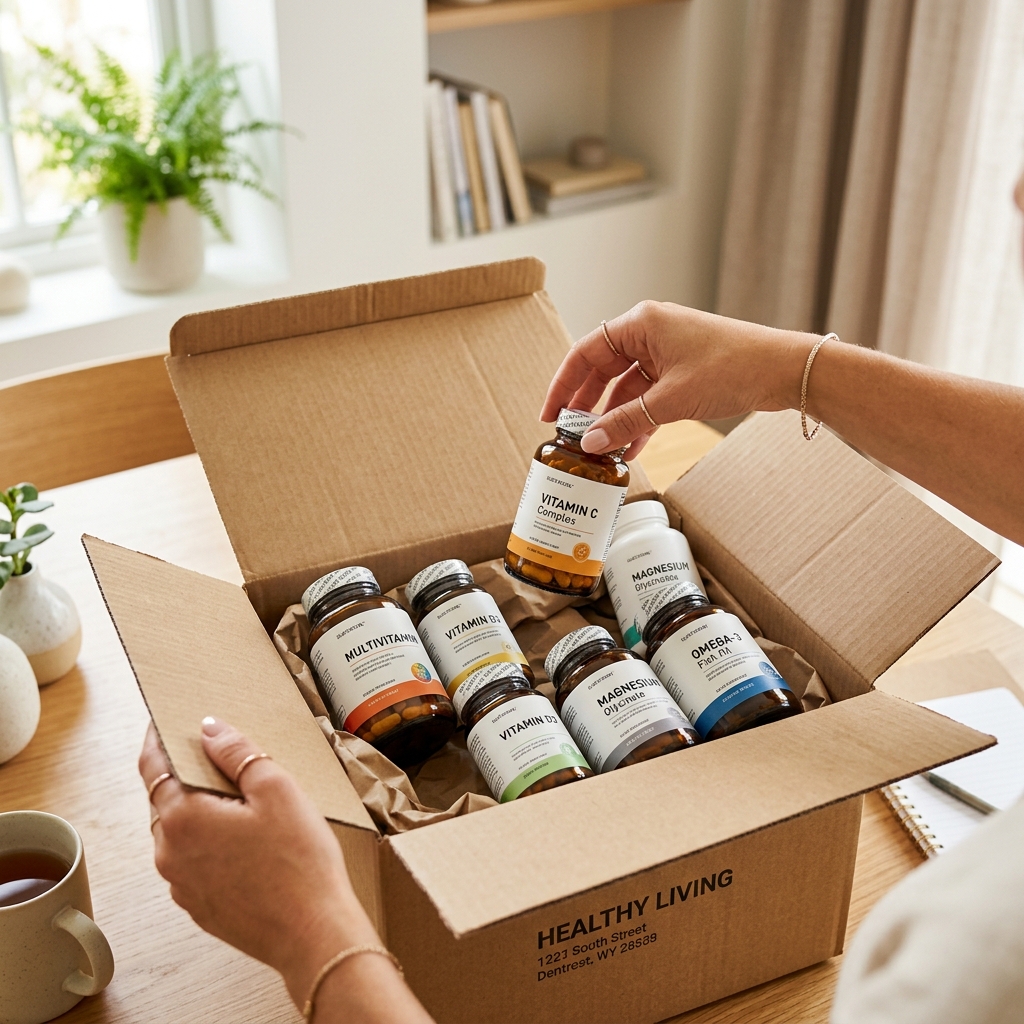
If you are standing on the edge of that same decision, let me reassure you: those nerves are completely normal. But after years of ordering, dozens of successfully delivered boxes, and only a couple of minor hiccups (which were resolved in minutes), I can confidently say that iHerb is one of the most reliable and user-friendly online shopping experiences out there. To help you skip the learning curve and shop with complete peace of mind, I have put together this step-by-step beginner’s guide. From setting up your account to tracking your first parcel and handling returns, here is everything you need to know.
Step 1: Setting Up Your Account & Preferences
Before you even think about adding items to your cart, the very first thing you need to do is set up your account and, more importantly, configure your localization settings. Because iHerb ships globally, their system dynamically adjusts prices, shipping options, tax calculations, and even product availability based on where you live.
To get started, head to the iHerb website or download their mobile app (which is incredibly intuitive and highly recommended). In the top right corner of the website (or in the account settings of the app), you will see a flag icon. Click on this to select:
- Your Destination Country: This ensures you only see products that are legally allowed to be imported into your country. Some countries restrict certain dosages or ingredients, and iHerb‘s system will automatically filter these out for you.
- Your Language: iHerb support is available in dozens of languages, and localization is generally excellent.
- Your Preferred Currency: While you can view prices in USD, it is usually best to set it to your local currency to avoid credit card conversion fees.
Once your preferences are locked in, create your account. You can sign up using a traditional email and password, or quickly link your Google, Apple, or Facebook account. It takes about thirty seconds, and you are ready to shop.
Step 2: Navigating the Interface and Using Smart Filters
With over 30,000 products from more than 1,800 brands, the iHerb interface can feel a bit overwhelming at first glance. If you just type “Vitamin C” into the search bar, you will be met with hundreds of results. To avoid decision paralysis, you need to learn how to use the search filters effectively.
Utilizing the Search Filters
Once you run a search, look at the sidebar on the left (or the filter button on the mobile app). You can filter products by several helpful criteria:
- Dietary Preferences & Certifications: Filter specifically for products that are Vegan, Gluten-Free, Organic, Non-GMO, Kosher, Dairy-Free, or Keto-friendly.
- Rating: Check the box for “4 stars and up” to instantly filter out lower-rated products.
- Form: Choose whether you prefer capsules, tablets, liquid, powder, or gummies.
- Brand: If you have a trusted brand in mind (like NOW Foods, Doctor’s Best, or California Gold Nutrition), you can isolate their products instantly.
Finding the Best Deals
Before you start adding products, always check the “Specials” tab in the main navigation. iHerb runs rotating weekly deals where entire categories or specific brands are discounted by 10% to 30%. They also have a “Trial Items” section where you can add one deeply discounted sample product to your cart (often a small tub of collagen or a travel-size serum for just a dollar or two). It’s a great way to try new things on the cheap.
Step 3: Decoding the Product Page
One of my favorite things about iHerb is the sheer amount of data they provide on each product page. Unlike many other online stores that display a single blurry photo of the bottle, iHerb lists comprehensive information. Here is what you should pay attention to:
1. The Expiration Date
If you buy supplements from local stores or general online marketplaces, you often have no idea if the product is going to expire next month. On iHerb, the exact expiration date of the current inventory batch is clearly listed right below the price and stock status. This allows you to plan your purchases, especially if you like buying in bulk.
2. Supplement Facts and Ingredients
Scroll down, and you will find a clear, readable breakdown of the Supplement Facts panel. This includes the serving size, active ingredients, daily value percentages, and any inactive ingredients or allergens. They also list certifications (like USDA Organic or NSF Certified Sport).
3. Real Customer Reviews
Always read the reviews, but do it smartly. Look for the “Verified Purchaser” badge next to the reviewer’s name, which guarantees they actually bought the item from iHerb. I like to filter reviews to show the 3-star and 2-star feedback first; this gives you a realistic idea of any taste issues, pill sizes, or minor side effects that others experienced, which are often glossed over in 5-star reviews.
4. Shipping Weight vs. Actual Weight
You will notice two weights listed: the actual weight of the product and the “Shipping Weight.” The shipping weight accounts for the heavy glass bottles or bulky plastic packaging and is used by the system to calculate shipping costs. Keep an eye on this if you are trying to stay under a specific shipping weight limit for customs.
Step 4: Building Your Cart and Stacking Discounts
Now comes the fun part: building your cart. As a first-time buyer, you are in a prime position to get the best possible deal. Here is how to optimize your checkout cart:
Reaching the Free Shipping Threshold
In most regions, iHerb offers free shipping if your cart reaches a certain value (usually around $40 USD, or the equivalent in your currency). If your cart is sitting at $35, don’t checkout yet! Go to the “Trial Items” section or look for a small, useful item like a lip balm or a pack of organic tea to push your total over the limit. Paying $5 for a physical product you will actually use is much better than paying $6 for shipping.
Applying Promo Codes
When you view your shopping cart, look for the box on the right labeled “Apply Promo Code.” As a first-time buyer, you can almost always find a welcome discount code (often 10% to 20% off your first order) on the iHerb homepage. Type it in and click “Apply.” Keep in mind that some promo codes do not stack with weekly specials, but the cart will automatically calculate and apply the discount that gives you the lowest price.
Understanding iHerb Rewards
Every time you buy a product and leave an honest review after it arrives, iHerb credits your account with Rewards Credits (typically $1 per review). You can also share your unique rewards code with friends; if they use it, they get a discount, and you earn credits. These credits act like real cash and are automatically applied to discount your future orders at checkout.
Step 5: Shipping, Customs, and Taxes Demystified
For most first-time buyers, shipping and customs are the biggest sources of anxiety. Nobody wants their package held hostage by customs officials or to receive an unexpected bill for import duties at their front door. Here is how iHerb handles this complex process:
Delivered Duty Paid (DDP) Shipping
In many major destinations (including the UK, EU, Australia, Canada, and parts of Asia and Latin America), iHerb utilizes a “Delivered Duty Paid” (DDP) model. This means that any local taxes, VAT, or customs duties are calculated and collected directly at checkout. The price you pay on the website is the absolute final price. When the courier delivers the package to your door, you do not have to pay a single cent more.
Choosing Your Carrier
Depending on your location, you will usually have a few shipping options:
- Local Post (Economical): Often the cheapest or free option. It is handled by your local postal service once it enters your country. It is highly reliable but can take a bit longer (typically 7 to 14 business days).
- Global Couriers (DHL / FedEx / UPS): These options are lightning-fast (often arriving in 3 to 5 business days internationally) and offer highly detailed step-by-step tracking. However, they may require a signature upon delivery.
Personally, I usually stick to the standard shipping option that qualifies for the free threshold. It is incredibly efficient, and I typically receive my boxes within 7 to 10 days of placing the order, which is impressive for cross-border shipping.
Step 6: Payment Methods and Safety
Is it safe to put your payment details into iHerb? Yes, absolutely. The site uses industry-standard 256-bit encryption to protect your personal information, and they do not store your credit card credentials directly on their servers.
Furthermore, iHerb supports a wide range of global and localized payment methods, making the checkout process smooth no matter where you are based. You can pay using:
- Major Credit and Debit Cards (Visa, Mastercard, American Express, JCB, etc.)
- PayPal
- Apple Pay and Google Pay
- Region-specific methods (such as UnionPay, Alipay, KakaoPay, Klarna, or iDEAL)
If you are nervous about sharing your card details, using a service like PayPal or Apple Pay adds an extra layer of security and convenience.
Step 7: What to Expect After You Order (Tracking & Unboxing)
Once you click the “Place Order” button, the hard part is over. Here is what happens next:
1. Order Confirmation and Tracking
You will immediately receive an order confirmation email. Within 12 to 24 hours, you will receive another email stating that your package has shipped, which will include a tracking number. You can click this link to watch your package travel from the climate-controlled warehouse in the U.S. (or one of their global hubs) all the way to your home. You can also view real-time tracking inside the iHerb app.
2. The Unboxing Experience
When the box arrives, you will notice that iHerb uses sturdy, recyclable cardboard boxes. Inside, the products are well-protected. Liquid items (like shampoos or liquid supplements) are usually sealed inside individual ziplock bags so that if a leak does occur, it won’t ruin the rest of your order. Fragile glass bottles are wrapped in thick protective sleeves or bubble wrap.
A Quick Tip on Summer Orders: If you are ordering heat-sensitive items like softgels, gummy vitamins, or probiotics during the hot summer months, try to select an expedited shipping method so the package spends less time in hot delivery trucks. While iHerb warehouses are fully climate-controlled, the final delivery mile is not!
Step 8: What If Something Goes Wrong?
Even the best retailers make mistakes, and parcels can occasionally get damaged during transit. I once received an order where a bottle of liquid magnesium had leaked, creating a sticky mess inside the box. I was worried I would have to go through a complicated return process, but iHerb customer service made it incredibly easy.
If an item arrives damaged, is missing, or is completely incorrect, here is what you should do:
- Do not throw away the box or the damaged item yet. Take a couple of clear photos of the damage.
- Log into your account, go to your “Order History,” and find the order in question.
- Click on the “Refund / Reship” button.
- Select the specific item, choose the reason (e.g., “Item arrived damaged”), upload your photos, and submit the request.
For most minor issues, iHerb uses an automated approval system. I had my refund processed back to my original payment method within five minutes of submitting the photo. If your issue is more complex, you can access their 24/7 live chat, which connects you with a customer support representative quickly.
Popular Starter Products to Build Your First Cart
If you are not sure what to buy first, here is a quick comparison table of highly rated, budget-friendly essentials that make excellent additions to a starter cart:
| Product Name | Typical Price | Why It’s Great for Beginners | Pros & Cons |
|---|---|---|---|
| California Gold Nutrition Gold C (Vitamin C, 1000 mg) | $6.00 | An affordable, high-quality daily vitamin. Qualifies as an iTested product for purity. | + Excellent value + USP-grade Vitamin C – Capsules are relatively large |
| NOW Foods Vitamin D-3 (2,000 IU) | $8.50 | Essential for immune and bone support. Small, easy-to-swallow softgels from a trusted brand. | + High potency softgels + Very inexpensive – Not suitable for vegans (contains bovine gelatin) |
| Doctor’s Best High Absorption Magnesium (100% Chelated) | $16.00 | Great for relaxation and muscle health. Highly bioavailable chelated form that is gentle on the stomach. | + Superior absorption + Vegan and gluten-free – Tablets can be chalky and large |
Final Thoughts: Ready to Place Your First Order?
Ordering health and wellness products online shouldn’t feel like a leap of faith. With direct sourcing, climate-controlled warehousing, transparent batches, and a robust refund system, iHerb has earned its reputation as a global leader in wellness e-commerce. As long as you double-check your country preferences, pay attention to expiration dates, and aim for the free shipping threshold, your first order will be a breeze. Happy shopping!