


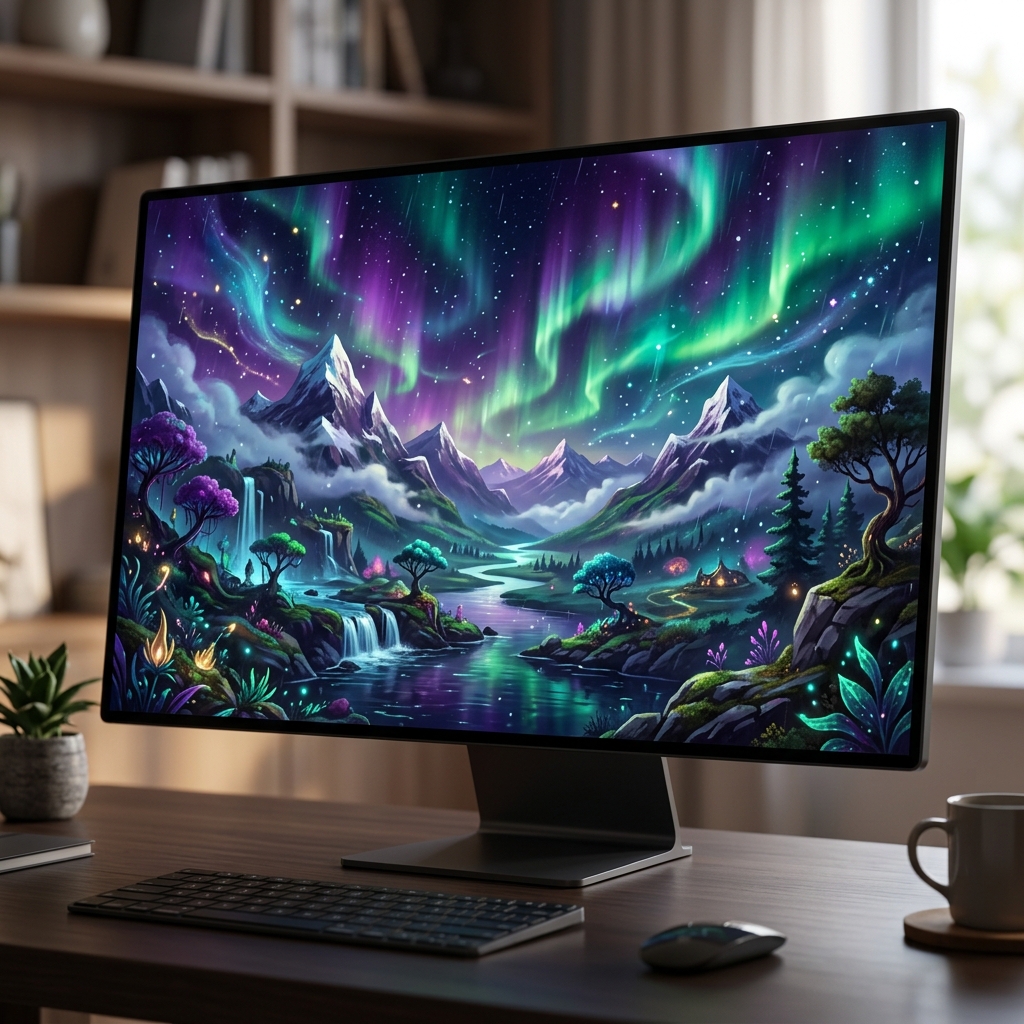
My workspace is entirely digital, and for years, my desktop, the very canvas where all my work unfolds, felt like a beautifully designed but ultimately static billboard. As a freelance digital content strategist, I spend upwards of twelve hours a day staring at my monitor. My desktop background, whether a serene landscape or a bustling city at night, was a constant, unchanging presence. While initially pleasing, these static images would, over time, fade into the background, becoming visual white noise. The problem wasn’t just aesthetic; it was about the subtle, creeping sense of stagnation that a fixed backdrop can introduce into a dynamic, creative workflow. I’d often find myself mentally adrift during a particularly challenging writing block or a repetitive task, my gaze drifting to the wallpaper, only to find the same unchanging scene. It offered no new input, no fresh spark to re-engage my focus or creativity.
I tried everything to combat this visual monotony. I had folders brimming with hundreds of high-resolution images, painstakingly curated from various photography sites. I’d set Windows to cycle through them every hour, but even with a vast collection, the changes felt abrupt and lacked cohesion. Then I ventured into the world of animated wallpapers, hoping for a more fluid experience. This quickly became a frustrating exercise in compromise. Free animated backgrounds were often low-resolution, pixelated, or came from dubious sources. High-quality ones were scarce, often resource-intensive, or required specialized players that felt clunky and intrusive. I experimented with various lightweight video loop players, trying to turn short cinematic clips into backgrounds, but they invariably ate up CPU cycles, made my fans spin up, or introduced subtle stutters that were more distracting than the static images they replaced. The breaking point arrived during a particularly demanding campaign launch, where I was juggling multiple client deadlines, brainstorming sessions, and content creation. My energy levels were plummeting, and my desktop, usually a source of calm, felt like a stagnant pool, reflecting my own creative exhaustion. I needed something that could offer dynamic visual stimulation without becoming a drain on my system or my time. I needed a living canvas, not just a painted wall.
The search for a better solution was born out of that frustration. I remember late one evening, after another fruitless hunt for a decent animated background, I stumbled upon a mention of Stardock products in a subreddit dedicated to PC customization. Someone was raving about their tools for transforming the Windows experience. I ended up on the Stardock website, and specifically, the page for DeskScapes. My first impression was one of cautious optimism. The website looked professional, clean, and didn’t bombard me with over-the-top promises. It clearly articulated its purpose: animating and customizing desktop wallpapers, including support for video and generated content. What truly piqued my interest was the mention of local image generation and AI restyling, all without needing tokens or cloud processing. This sounded like exactly what I needed – creative control without the usual overheads. The clincher was the 30-day free trial. With nothing to lose, and everything to gain in terms of a more inspiring workspace, I decided to give it a shot, driven purely by the hope of finally solving my desktop dilemma. This DeskScapes review would be an honest reflection of that trial.
The onboarding experience was surprisingly smooth. Downloading and installing DeskScapes was quick, taking only a few minutes. The application’s user interface, which matches the aesthetic of Windows 11, felt immediately familiar and intuitive. I appreciated the clean layout, with clear categories for static, animated, and generated backgrounds, along with options for effects and playlists. There wasn’t a steep learning curve; I could jump right in without needing to consult a manual or watch a tutorial. My first real output involved diving straight into the local image generation feature. I typed in a prompt, something like “serene forest path with dappled sunlight and a gentle mist,” hoping for something that could evoke calm during intense work periods. The generation process, leveraging my GPU, was remarkably fast. Within moments, I had a unique image. It wasn’t perfect on the first try, needing a few iterations to get the composition just right, but the quality was impressive for an on-device generation.
My honest reaction was a mix of surprise and genuine delight. The image itself was beautiful, but the true magic happened when I started applying effects. I added a subtle “slow pan” animation, a gentle “ripple” to simulate a breeze, and a touch of “soft focus.” Suddenly, my static image was transformed into a living, breathing scene. It was usable immediately, requiring minimal editing beyond my initial prompt refinements and effect choices. The most surprising detail was the “AI Restyle” feature. I took a high-resolution photo I’d captured during a hike – a simple mountain vista – and applied an “oil painting” style to it. The transformation was instant and stunning. It didn’t just slap a filter on it; it genuinely reinterpreted the image in a painterly style, making it feel entirely new and artistic. This capability alone felt like unlocking a whole new dimension of desktop personalization, turning my personal photos into gallery-worthy backgrounds that moved and breathed.
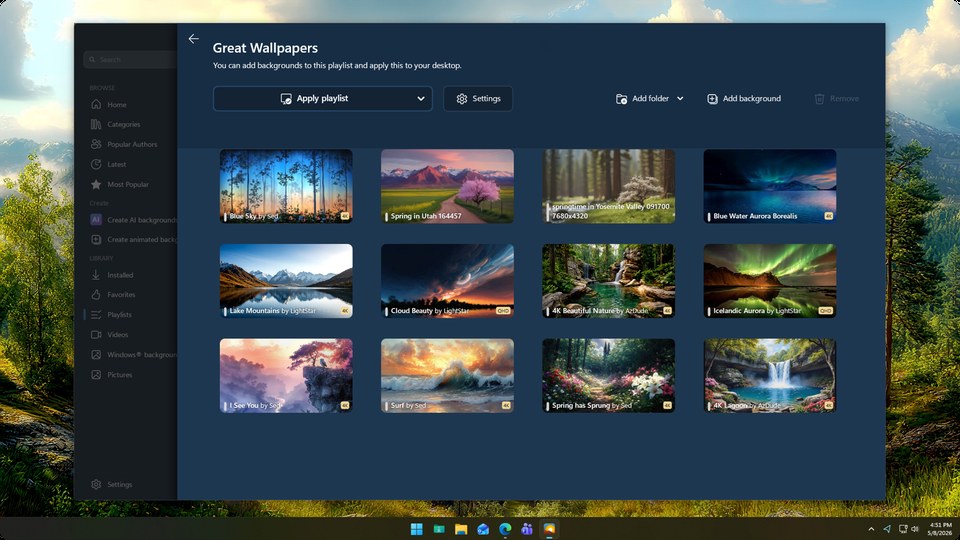
In my daily workflow now, DeskScapes has become an indispensable tool. I no longer waste time endlessly searching for new wallpapers or wrestling with temperamental video players. My primary use case revolves around its playlist feature. I’ve created several themed playlists: one for deep focus with calm, subtly animated abstract art or nature scenes; another for brainstorming with more dynamic, energetic sci-fi or cyberpunk visuals; and a general one that cycles through my favorite AI-generated creations and restyled personal photos. I’ve configured them to change every 30 minutes, providing a constant, fresh visual input that subtly shifts my mental state without being distracting. It’s like having a dynamic mood board constantly evolving in the background.
What DeskScapes does exceptionally well is animating static images and providing robust local AI generation. This saves me significant time – easily an hour or two a week that I used to spend searching, downloading, and troubleshooting. Instead of a manual hunt, I can now generate a unique background tailored to my exact needs in minutes, or take an existing image and breathe new life into it with effects. The ability to upscale images to 4K locally is also a huge benefit, ensuring everything looks crisp on my high-resolution monitor. My old process involved a lot of compromise on quality or performance, but with DeskScapes, the quality difference is night and day, and it runs efficiently without noticeable impact on my system resources, even with multiple monitors.
However, DeskScapes is not without its limitations. While the AI generation is powerful, it sometimes produces results that are a bit too generic or don’t quite capture the specific nuance I’m aiming for without very precise and iterative prompting. It’s not a magic bullet that reads my mind; there’s still an art to crafting effective prompts, and occasionally, I find myself generating four or five variations before I get something I’m truly happy with. Another quirk is the sheer number of effects available. While extensive, it can be a bit overwhelming to navigate and combine them effectively to achieve a specific look. There’s a learning curve in understanding how different effects interact and which combinations yield the most pleasing results. Sometimes, I still have to do a bit of manual tweaking in an external image editor if I want a very specific color correction or a complex composite that the AI generation isn’t quite ready to handle on its own.
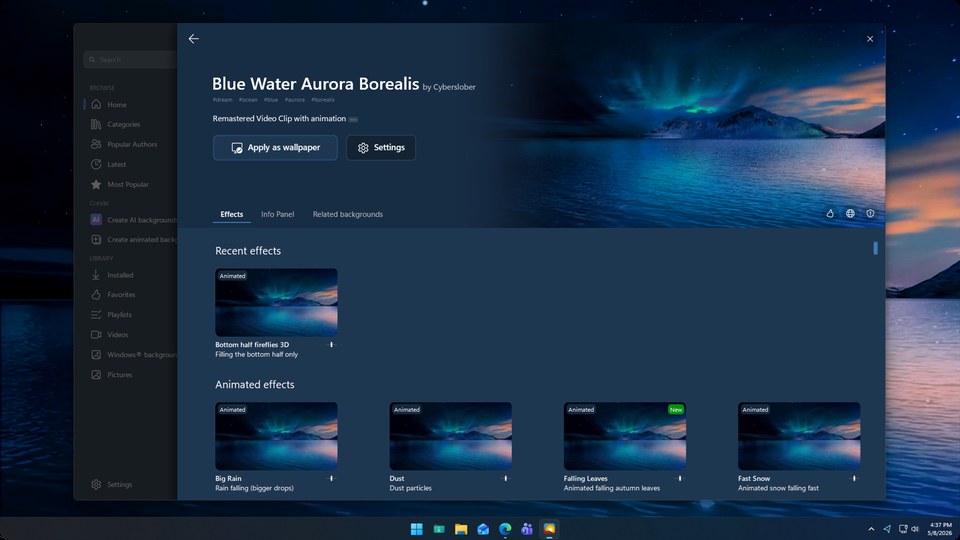
One thing that genuinely annoyed me initially was the process of migrating my existing collection of static wallpapers into the DeskScapes ecosystem. While the application is excellent at organizing new creations and existing ones once imported, the initial import process for hundreds of images felt a bit cumbersome, requiring me to point it to specific folders and then manually categorize them if I wanted to use them in different playlists. It wasn’t a deal-breaker, but it was a minor friction point during the setup phase. Regarding pricing, I opted for the perpetual license, which for me, feels entirely justified. Considering the amount of time it saves me, the creative inspiration it provides, and the fact that it’s a one-time purchase for ongoing functionality, it’s a solid investment in my digital workspace. The alternative, a 1-year subscription as part of Object Desktop, also seems like a good value for those who want a suite of enhancement tools. I also appreciate that the local AI generation means no hidden costs or “token” purchases down the line, which is a common frustration with many cloud-based AI tools.
Despite its capabilities, there are still situations where I revert to my old ways. For instance, if a client project demands a very specific, photorealistic background for a presentation slide – say, a precise architectural shot of a building – I’ll still go to a stock photo site. While DeskScapes can generate stunning images, its strength lies in artistic interpretation and animation rather than replicating specific real-world scenes with absolute photographic accuracy. It’s a tool for creative enhancement and dynamic personalization, not a replacement for professional photography or highly specific visual assets. My workflow has been optimized, but not entirely revolutionized in every single niche.
I’m still exploring the full depth of the effects library, experimenting with combining more complex layers to create truly unique, evolving backdrops. I’m also looking forward to using it more for themed client work, generating custom animated backgrounds that subtly reflect the brand or campaign I’m working on, to keep my own visual environment aligned with the project. It’s become more than just a wallpaper changer; it’s a dynamic element of my professional identity, a quiet, constantly evolving source of visual interest that keeps my digital workspace feeling fresh and inspiring.
Additional workflow notes before choosing DeskScapes
DeskScapes is a different kind of utility from the more productivity-heavy Stardock tools. Its value is emotional and environmental first. The official product positioning centers on personalizing the desktop background with generated wallpapers, animations, and video. That matters most for people who spend a long time at a Windows desk and want the machine to feel less generic. It will not organize files, speed up typing, or replace a task manager. It changes the surface you stare at all day.
That sounds cosmetic, but cosmetics can still affect how a workspace feels. A static wallpaper is easy to ignore. A more intentional desktop background can make a work machine feel like a designed environment rather than a default install. The key is moderation. Animated or video backgrounds should support the mood of the desk, not compete with the work. If a background is too bright, too busy, or too distracting, it stops being personalization and starts being visual noise.
The best fit is someone who enjoys customizing Windows and wants more than a simple image swap. Designers, creators, streamers, home office users, and Windows enthusiasts are more likely to appreciate it than someone who keeps every app maximized all day. It is also a better fit if you like refreshing your setup regularly. If you change your desktop once every five years, the feature set may be more than you need.
For buyers comparing Stardock tools, DeskScapes is not the first choice for pure productivity. It is the choice for making a PC feel personal. If that is the missing piece in your setup, check the current DeskScapes options and confirm which version and features match how you want your desktop to look.
One final buying note: DeskScapes is most worthwhile when you want your desktop to feel intentionally designed, not merely decorated. If that visual refresh makes the workspace more pleasant every day, the tool earns its place.